
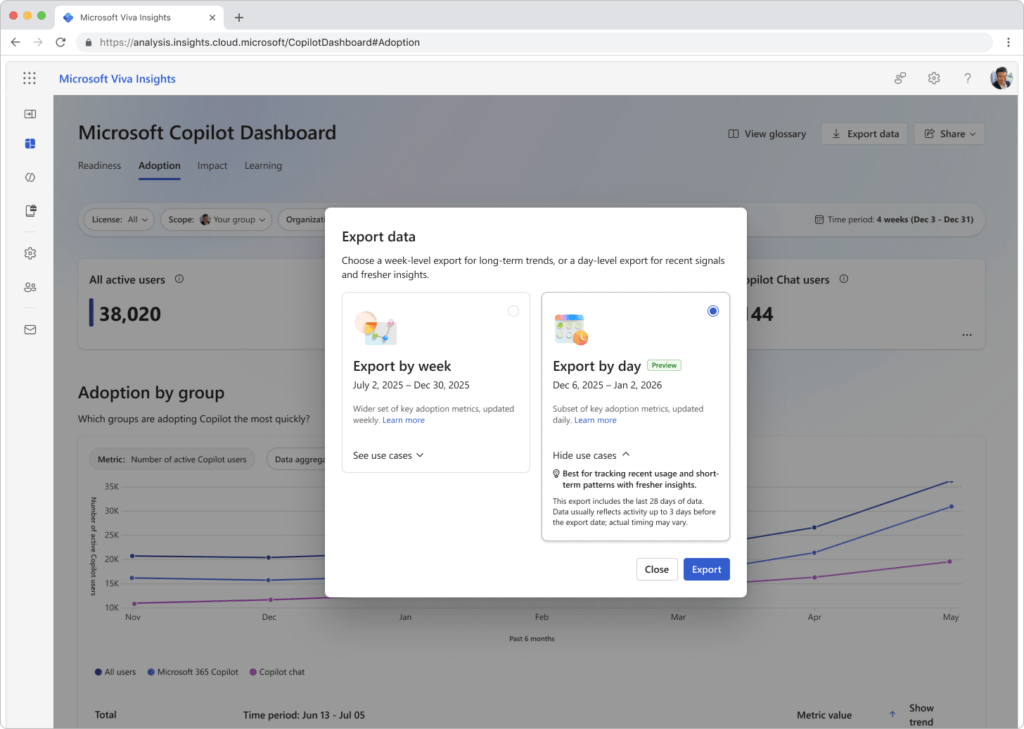
TL;DR: Microsoft is introducing a new ‘User-Day’ export option in the Copilot dashboard within Viva Insights. Starting in early March 2026, eligible admins can download 28 days of de-identified, daily usage metrics to better understand short-term adoption trends. This should be rolling out in March according to Microsoft.
Copilot Dashboard User-Day Export: Why Daily Data Matters
Since the launch of Microsoft 365 Copilot, the ‘User-Week’ export has been the standard for reporting. While excellent for long-term trend analysis, it lacks the granularity required for tactical adoption efforts. Roadmap ID 547749 bridges this gap by providing row-level metrics aggregated by user and day.
This update allows organizations to assess the impact of recent changes—such as a specific training session or the rollout of a new department-specific Copilot agent—within a very short window. Because the exported data typically reflects activity up to 3 days before the export date, admins can react to trends as they happen rather than weeks after the fact.
Key Features of the User-Day Export
The new export option is designed for high-velocity analysis of your Copilot Dashboard User-Day Export data. It includes:
- 28-Day Window: Access the most recent four weeks of daily activity to support granular, short-term insights.
- De-Identified Metrics: Usage data is row-level but anonymized, maintaining the balance between insights and privacy.
- Attribute Mapping: Includes ‘Organization’ and ‘Job function’ attributes to help identify which departments are leading the charge.
- App-Level Detail: See daily activity across the entire M365 suite, from Teams and Outlook to Word, Excel, and PowerPoint.
Administrative Access to the Copilot Dashboard User-Day Export
Microsoft is not introducing a new permission model for this feature. Instead, it leverages the existing Viva Feature Access Management (VFAM) controls. This ensures that your existing governance for the ‘user-week’ export remains consistent.
- Who can access? Global Admins, Global Analysts, senior leaders (as identified in Entra ID), and admin-assigned company-level users.
- Who is excluded? Group managers with access restricted to their own teams will not have access to the user-day export.
- Prerequisites: Your tenant must have at least 50 Microsoft 365 Copilot licenses to generate these reports.
Strategic Tips for Your Copilot Dashboard User-Day Export
As a Microsoft MVP, I recommend using this daily data to create ‘Adoption Sprints’. Use the 28-day export to establish a baseline of current daily habits. After launching a targeted ‘Copilot Tip of the Day’ email or a lunch-and-learn, use the daily export 3 to 4 days later to measure the immediate spike in activity. This faster feedback loop allows IT teams to pivot their strategy in real-time to maximize ROI.
FAQ: Copilot Dashboard User-Day Export
How fresh is the data in the Copilot Dashboard User-Day Export? Typically, the data reflects activity up to 3 days before the export date. Actual timing may vary depending on data processing cycles.
Can I see exactly which users are using Copilot? No. To protect privacy, the data is de-identified, meaning personal identifiers are removed and replaced with anonymized IDs.
Does this require a separate Viva Insights license? The Copilot dashboard applies to the Viva Insights web app, and while a Microsoft 365 Copilot license is required for the users being measured, the dashboard itself is available to customers with business or enterprise subscriptions who meet the license minimums.