
TL;DR: Microsoft is expanding People Skills into Microsoft Teams, allowing users to view and manage skills directly on the Microsoft 365 profile card. This update enhances collaboration by surfacing expertise in the flow of work. This should be rolling out in March according to Microsoft.
People Skills in Microsoft Teams: Surfacing Expertise
In the modern workplace, a job title rarely captures the full scope of an employee’s expertise. Discovering internal talent often requires manual effort or personal networking. Roadmap ID 552588 changes this by integrating People Skills in Microsoft Teams, making skills visible exactly where teams collaborate.
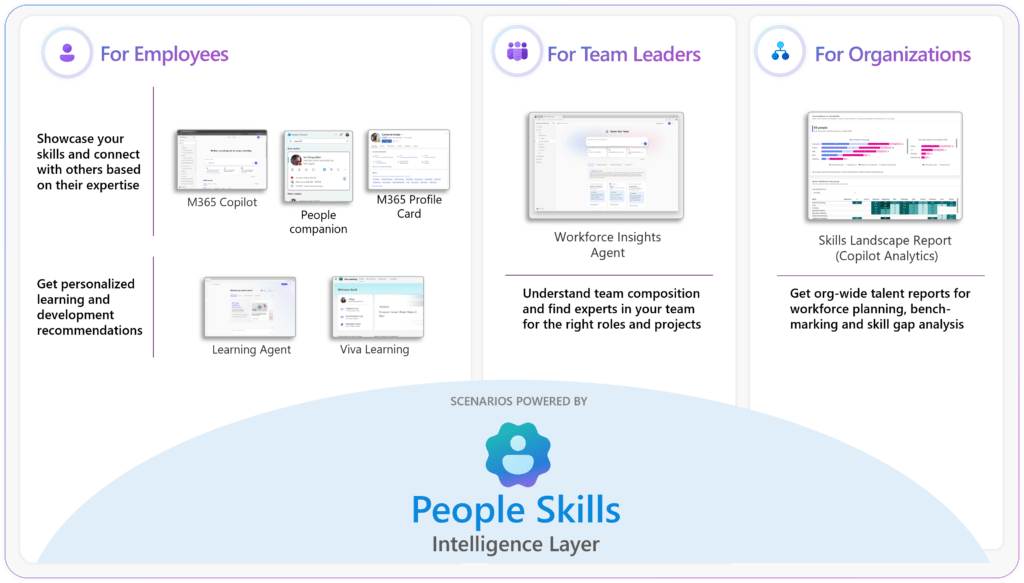
With this update, all employees in tenants that have already set up People Skills will find a dedicated Skills section on their Microsoft 365 profile card in Teams. This makes it easier to learn about colleagues, strengthen collaboration, and manage professional profiles without switching applications.
Key Features of the People Skills Expansion
The People Skills in Microsoft Teams update is designed to make expertise more discoverable and manageable:
- Profile Card Integration: View colleagues’ skills directly in their Teams profile card to better understand and connect with them.
- Self-Management: Access and manage your own skills profile via the new Skills component on your own profile card in Teams.
- AI-Powered Inferencing: For eligible users (Copilot, Viva, E3/E5), Microsoft Graph signals can automatically generate and update personalized skills profiles.
- Contextual Insights: People Skills data provides richer insights about individuals across Microsoft 365, Copilot, and Viva experiences.
Administrative Setup and Governance
Management of People Skills in Microsoft Teams requires minimal effort for organizations already using the service:
- No Change to Controls: There are no changes to existing admin controls, configuration settings, or data access permissions.
- Prerequisites: People Skills must be set up in the admin center before the component becomes visible in M365 profile cards.
- Automatic Rollout: If your organization uses People Skills today, no admin action is required; the experience appears automatically.
- Data Privacy: No changes have been made to how existing customer data is processed or accessed. This update only expands where existing data is displayed.
Strategic Tips for Your People Skills in Microsoft Teams Strategy
As a Microsoft MVP, I recommend using this rollout to encourage ‘profile completeness’ across your organization. Because the barrier to viewing and managing skills is now much lower, users are more likely to keep their profiles current. Use People Skills in Microsoft Teams to identify subject matter experts during meetings or when forming new project channels.
The AI-powered inferencing is a game-changer for large organizations where manual updates are infrequent. Encourage your E3/E5 and Copilot users to review their suggested skills periodically to ensure their digital presence accurately reflects their current capabilities.
FAQ: People Skills in Microsoft Teams
When will the Skills section appear in Teams? The Targeted Release begins in early March 2026, with General Availability starting in March and completing by April 2026.
Do I need a special license for this? Any user who currently has access to People Skills and can view the M365 profile card in Teams is affected. Advanced AI inferencing is available to Copilot, Viva, and E3/E5 users.
Can I disable the Skills view for my organization? The update uses existing People Skills admin controls; if the service is set up, the component will be visible. Admins can manage the service via the admin center.