
The Microsoft Teams Meet app redesign is one of those updates that does not come with a dramatic announcement but quietly solves a problem that has frustrated event organizers for years. As of early 2026, Microsoft is rolling out a completely modernized Meet app experience, bringing webinars, town halls, and custom events into a single, unified Events hub. This post breaks down what is changing, what admins need to do, and what to communicate to your users.
This update applies to Teams for Windows desktop, Teams for Mac desktop, and Teams for the web, and is associated with Microsoft 365 Roadmap ID 547834.
What Is the Microsoft Teams Meet App Redesign?
Until now, the Meet app in Teams has been a functional but fragmented experience. Users creating webinars navigate one flow, town hall organizers use another, and finding or revisiting past events is not intuitive. The redesign addresses all of this in one go.
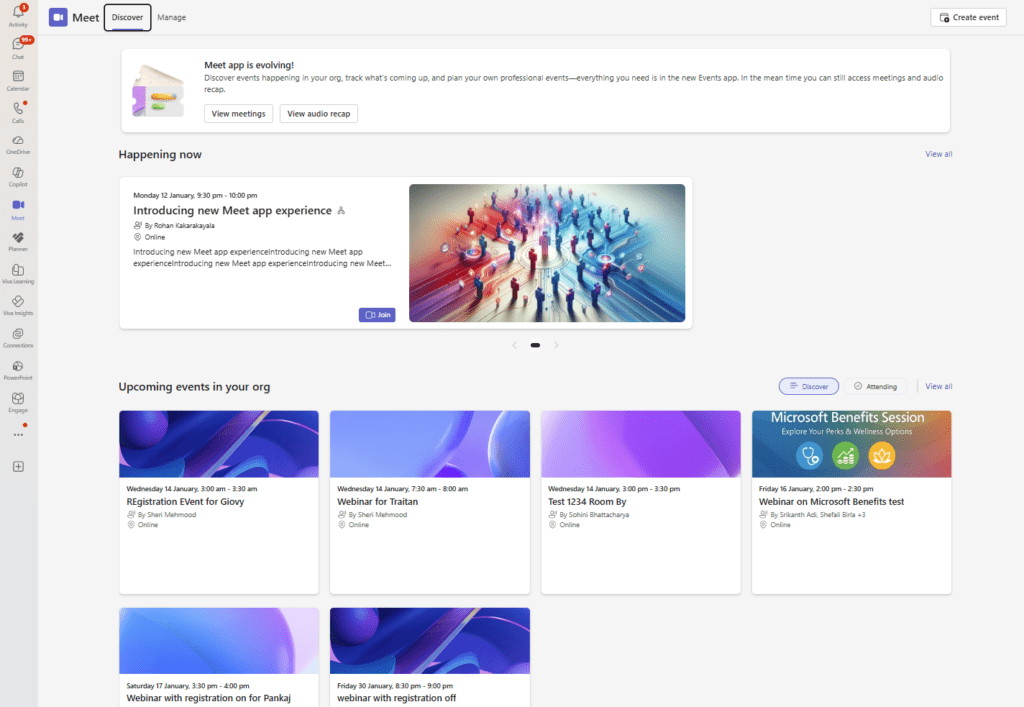
The new experience introduces a centralized Events hub where users can:
- Create, edit, and track webinars, town halls, and custom events from a single location
- Discover upcoming and current events through a redesigned Events home
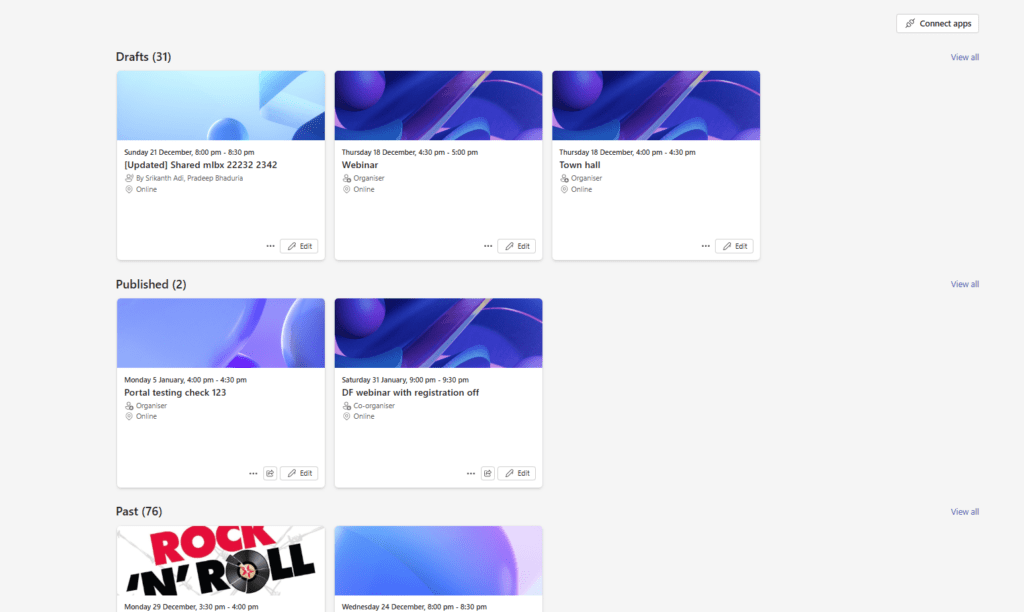
- Manage events across different stages (draft, scheduled, completed)
- Schedule events using shared and delegate mailboxes
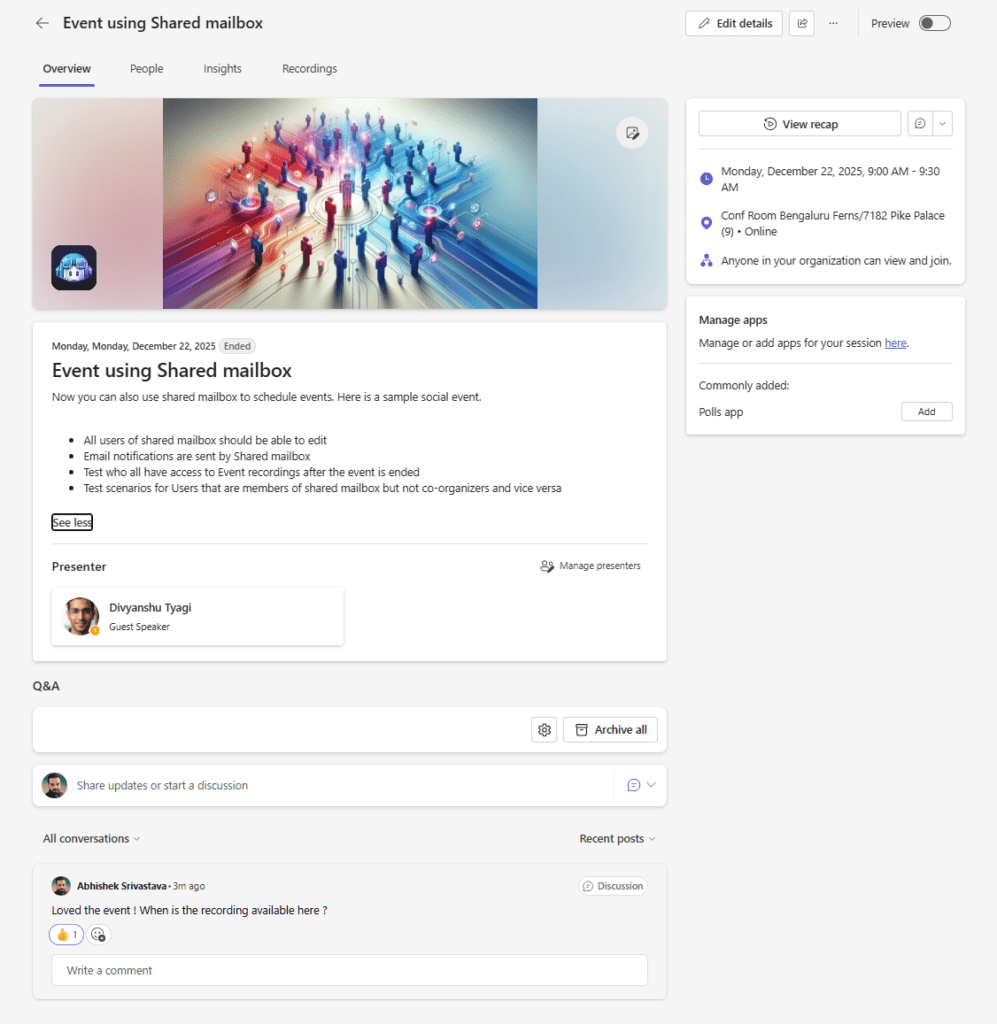
- Access Event landing pages with integrated Q&A and Polls
Existing Meetings and Audio recap remain accessible through a continuity banner, so nothing is lost during the transition.
Rollout Timeline
Microsoft has confirmed the following rollout schedule for the Meet app redesign. Note that the timeline was updated on February 20, 2026.
| Phase | Start | Expected Completion |
|---|---|---|
| Targeted Release (Preview) | Late February 2026 | Mid-March 2026 |
| General Availability | Early April 2026 | Late April 2026 |
According to Microsoft, this should be rolling out around late February 2026 for Targeted Release, with General Availability completing by late April 2026.
Classic Meet remains available during both preview and general availability, so there is no hard cutover for users.
What Changes for Users
The New Unified Events Workflow
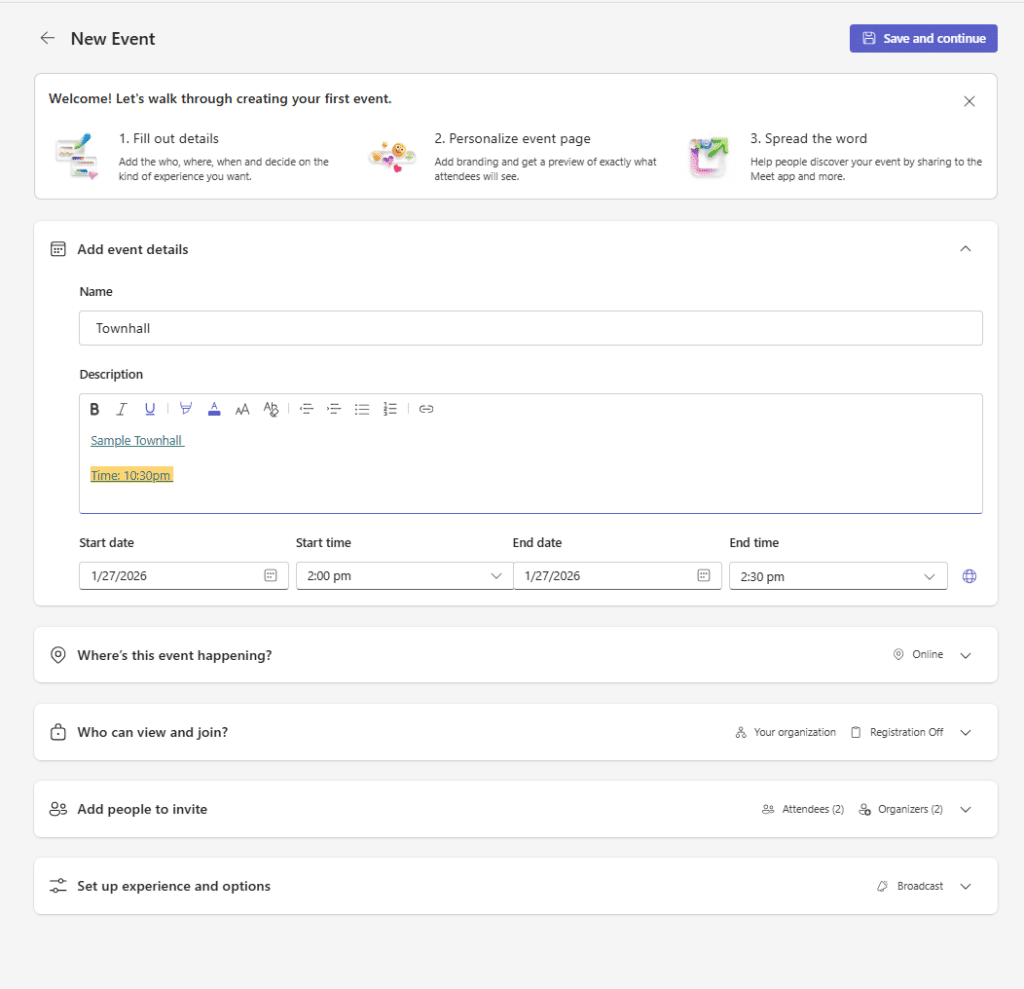
The most visible change is the shift to a unified creation and management flow. Previously, users had to know in advance whether they were creating a webinar or a town hall and navigate accordingly. The new design introduces ‘Create from scratch’ as a starting point, and the system automatically applies the correct policy based on the type of event selected.
This is a meaningful governance improvement. Town hall policies apply to broadcast-type events, and webinar policies apply to collaborative events, without the organizer needing to understand the distinction upfront.
Simplified scheduling templates reduce the time it takes to configure a new event. Organizers can now reach a scheduling form faster, with fewer steps and a cleaner interface.
Event landing pages are a new addition that give attendees a place to engage before and after the event, with Q&A and Polls built in.
How to Enable or Configure the Feature
No administrative action is required to enable the redesigned Meet app. The update rolls out automatically to all users in scope.
That said, there are a few things worth doing before the rollout reaches your tenant.
Teams Admin Center
- Sign in to the Teams Admin Center at https://admin.teams.microsoft.com
- Navigate to Meetings and review your existing Webinar and Town Hall policies
- Confirm that policies are assigned correctly to the right user groups, since the new ‘Create from scratch’ flow will apply these automatically
- Pin the Meet app for users via Teams apps > Setup policies if you want to ensure visibility
PowerShell
To review existing webinar policy assignments:
powershell
Get-CsTeamsEventsPolicy | Select-Object Identity, AllowWebinars, AllowTownhallsTo assign a Teams Events policy to a user:
powershell
Grant-CsTeamsEventsPolicy -Identity [email protected] -PolicyName "Global"To pin the Meet app for all users via an app setup policy:
powershell
Get-CsTeamsAppSetupPolicyReview which policies include the Meet app and update as needed.
Admin Tips
- Communicate early. Event organizers will notice the new interface. Proactive communication prevents unnecessary support tickets.
- Review delegate mailbox permissions. The new ability to schedule using shared and delegate mailboxes is useful, but only if the right permissions are in place. Check Exchange Online delegation settings before rollout.
- Update training materials. Any internal guides covering webinar or town hall creation in Teams will need updating after GA.
- Encourage pinning the Meet app. The Events hub is most useful when it is always visible. Use app setup policies to pin it for event organizer roles.
- Use Targeted Release. If your tenant supports it, enable Targeted Release for a subset of users to evaluate the experience before GA.
- Classic Meet stays available. There is no need to rush users through the transition. Classic Meet remains accessible during preview and GA.
License Requirements
The redesigned Microsoft Teams Meet app is available across Microsoft 365 plans that include Microsoft Teams. No additional license is required for the redesign itself.
Webinar and Town Hall features within the new Events hub continue to require the appropriate Microsoft 365 licenses. Specifically:
- Webinars are available with Microsoft 365 Business Standard, Business Premium, and Enterprise plans (E3/E5)
- Town Halls require Microsoft Teams Premium or specific Microsoft 365 E3/E5 configurations depending on attendee scale and features
Confirm your current licensing covers the event types your organization uses before communicating the new experience to organizers.
The Paul-Take
The Microsoft Teams Meet app redesign is not a glamorous update, but it is a genuinely useful one. Bringing webinars, town halls, and custom events into a single unified workflow removes friction that has been quietly frustrating event organizers since Teams entered the events space.
The feature that deserves the most attention is the automatic policy mapping in ‘Create from scratch’. It is a small thing on the surface, but it closes a real gap where organizers would inadvertently create the wrong event type and trigger the wrong policy. That kind of invisible governance improvement is exactly what enterprise IT teams need, even if nobody writes a blog post celebrating it.
The addition of delegate mailbox support is also overdue. Organizations that run events from shared or departmental mailboxes have been working around this limitation for too long.
My honest take: if your organization runs more than a handful of internal or external events per quarter, this update is worth communicating proactively. Get ahead of it with your event organizers, update your documentation, and use the Targeted Release window to build familiarity before GA. The interface change is not dramatic, but people who use it regularly will notice, and it is better that they hear about it from IT than from a confused colleague.
MVP Reference List
| Reference | Details |
|---|---|
| MC Announcement | MC (number not disclosed in source) |
| Roadmap ID | 547834 |
| Teams Events policies | Manage who can schedule and attend webinars in Microsoft Teams |
| Town Hall admin guide | Manage town halls in Microsoft Teams |
| Teams app setup policies | Manage app setup policies in Microsoft Teams |