
TL;DR: Microsoft Teams is introducing the ability to create, save, and share immersive event templates directly within the Meet app. Starting in February 2026, organizers can build reusable collections of 3D environments to streamline event preparation. This should be rolling out in February according to Microsoft.
Scaling the Immersive Experience
Immersive spaces in Microsoft Teams (powered by Microsoft Mesh) have transformed how we think about digital connection. However, a major pain point for organizers has been the lack of ‘repeatability.’ Designing a 3D space for a town hall or a networking session used to be a manual process for every new invite.
With the new immersive event templates, Microsoft is bringing professional-grade management to the 3D workspace. Organizers can now curate collections, ensuring that a successful event layout can be duplicated with a single click.
How to Manage Immersive Collections
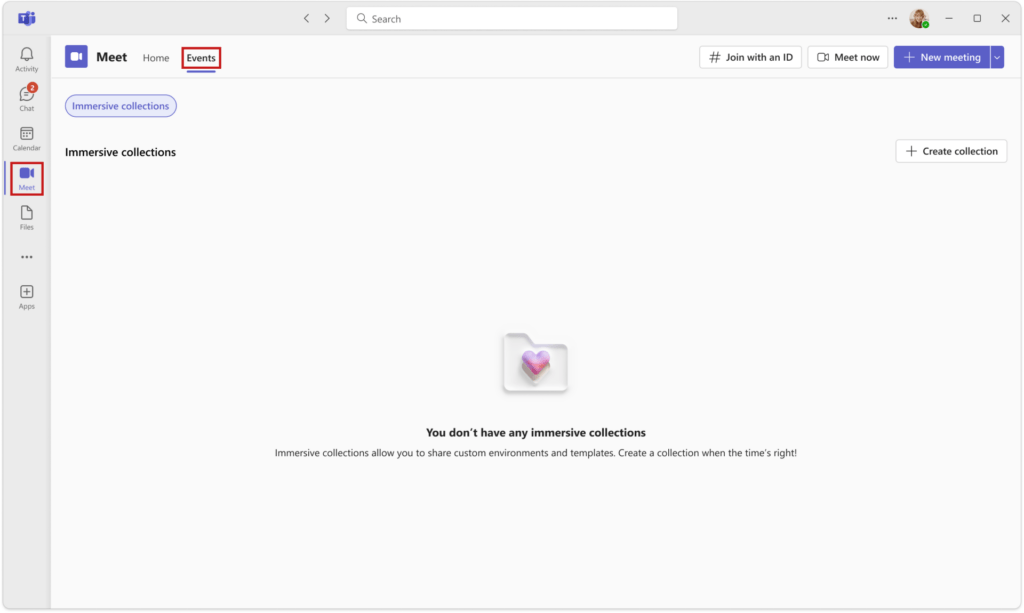
The hub for this new functionality is the Teams Meet app. By navigating to the Events tab within the Meet app, users can access the immersive collections page. This is where you can view, edit, and organize your saved environments.
Creating and Saving Templates
The workflow is designed to be intuitive for anyone familiar with the Teams scheduling interface:
- Design your event: Set up your immersive experience as usual.
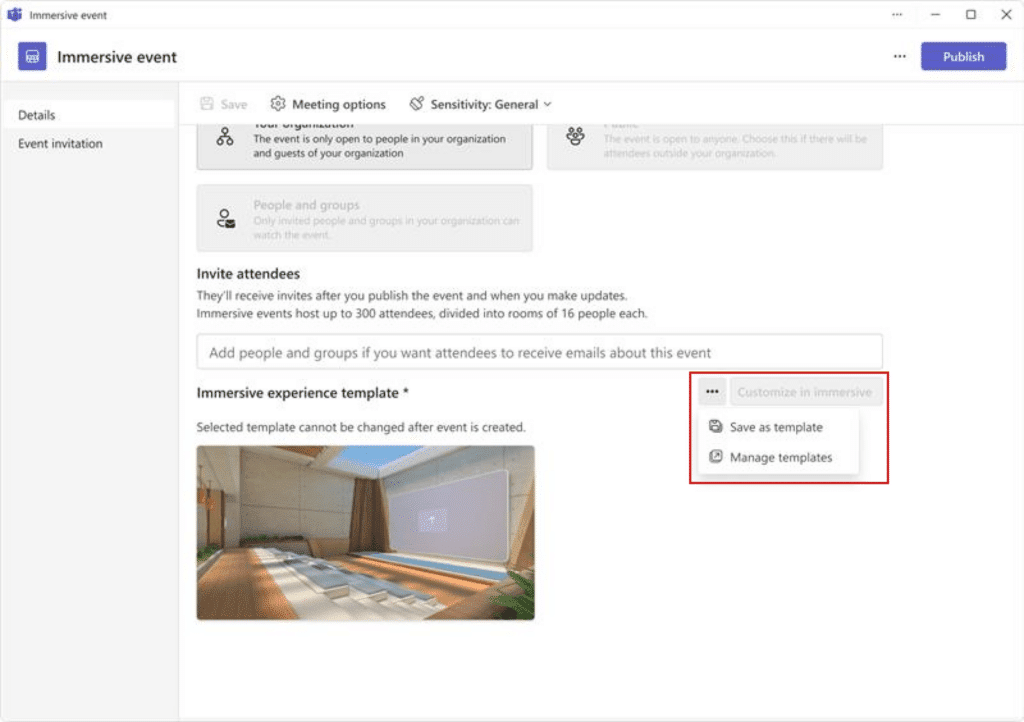
- Save as template: Select the ‘More options (…)’ next to the immersive template on the schedule form.
- Organize: Save it to a specific collection for future use or share it with colleagues.
Collaboration and Sharing
One of the most significant updates is the ability to add co-owners and members to your immersive collections. In the past, 3D setups were often tied to a single creator’s account. Now, entire teams can collaborate on a set of ‘standardized’ virtual spaces. This ensures brand consistency across different departments and allows for easier hand-offs between event organizers.
Technical Rollout and Requirements
This update applies primarily to Teams for Windows and Mac desktop. However, users on Teams for the web will also be able to create and manage their immersive collections, ensuring flexibility regardless of the platform.
- Admin Action: None required. The feature is on by default.
- Availability: Rollout begins in mid-February 2026 and completes by early May 2026.
- Platform: Desktop and Web versions of Microsoft Teams.
Strategic Impact for IT Organizations
For IT Managers and Adoption Specialists, this feature reduces the support burden associated with virtual events. When users can rely on ‘proven’ templates, there are fewer technical errors during live events. It also encourages the adoption of Microsoft Mesh by lowering the barrier to entry for non-technical event organizers.
FAQ
Where do I find my saved immersive templates? You can find them in the Microsoft Teams Meet app under the Events section.
Can I share a template with someone outside my organization? Currently, template sharing is designed for internal collaboration within your tenant by adding co-owners and members to your collections.
Do I need a special license for this? This functionality is available to users who already have access to immersive spaces in Teams (typically requiring a Teams Premium or specific Microsoft 365 license that includes Mesh).
Will this affect my existing scheduled immersive events? No, existing events will remain as they are. You will simply have the new option to save those configurations as templates for future use.