22-November-2026 Below you will find a collection of news published yesterday. This news consists of Microsoft’s Roadmap when it is updated it will be below with items. Then there will be a section with the message center, if there is anything new there, this will be automatically included. And it contains a piece from blogs that I follow myself and would like to share with you. If I miss something in the blogs that do have an RSS feed, please let me know.
This entire post was automated via Microsoft Flow
have fun reading!
The blogs of this day are:
Items from the MessageCenter in Microsoft 365
| Sync between Copilot desktop app and Microsoft EdgeCategory:Microsoft Copilot (Microsoft 365) Microsoft 365 Copilot ChatNummer:MC1562269Status:planForChange | [What and Why:] This release adds optional browser data sync between the Copilot desktop app (Windows and Mac) and Microsoft Edge. After opt-in, selected data (passwords, personal info, settings, and browsing history) stays synced across both apps for the signed-in account; payment info is not synced. [Rollout Schedule:] General Availability (Worldwide): We will begin rolling out in mid-December 2026 and expect to complete by end of December 2026. [Impact on Your Organization:] For users, this reduces friction: they can move between Edge and Copilot with familiar browsing data already available, which saves time and improves continuity. For organizations, it can improve adoption and productivity by lowering setup overhead for users, while still supporting control and transparency because sync is optional, account-based, and excludes payment info. [Action Required/Recommendations:] Review your browser/data governance posture and decide whether users should be allowed to use this optional sync behavior. Learn more details will be available when external rollout begins in mid-December. [Compliance considerations:]
| ||||||
| New Contact Support Experience in Outlook for iOS, Android and MacCategory:Exchange OnlineNummer:MC1562272Status:planForChange | [What and Why:] We’re introducing a new Contact Support experience in Outlook for iOS, Outlook for Android, and Outlook for Mac. This update brings a more consistent way to get help from within the app, aligned with the Contact Support experience available in new Outlook for Windows. The existing Contact Support policy for new Outlook, “Allow access to Contact Support in the new Outlook” (outlooknew;L_ContactSupport), will also control Contact Support in Outlook for iOS, Outlook for Android, and Outlook for Mac. No new policy is required. [Rollout Schedule:] General Availability (Worldwide): We will begin rolling out in late November 2026 and expect to complete by early January 2027. [Impact on Your Organization:] The existing Contact Support experience has been replaced with a newer one that improves how users discover solutions for resolving issues on their own. The chat experience provided through Contact Support has not changed, so users can still reach a support agent as they do today. In addition, the Contact Support experience in Outlook for iOS, Outlook for Android and Outlook for Mac now adheres to the same cloud service policy used for New Outlook for Windows. [Action Required/Recommendations:] Contact Support remains available by default when the policy is enabled or not configured, and administrators who disable the policy will remove access to Contact Support in all of these Outlook clients. IT admins who have already set the existing policy to “Disabled” will need to redeploy their policy once the updated policy becomes available in the Office Cloud Policy Service (OCPS). Redeploying allows the policy to be updated to include the iOS, Android, and Mac endpoints. If the cloud policy is not redeployed, the Contact Support policy will continue to apply only to new Outlook. No action is required for organizations that have not configured the policy or have it enabled. [Compliance considerations:] No compliance considerations identified. Review as appropriate for your organization. | ||||||
| Microsoft 365 Copilot app: New search experience for Microsoft 365 users without a Microsoft 365 Copilot licenseCategory:Microsoft Copilot (Microsoft 365)Nummer:MC1562275Status:planForChange | [What and why] We are introducing an updated search experience in the Microsoft 365 Copilot app for users with a Microsoft 365 license who do not have a Microsoft 365 Copilot license. The updated experience provides modern search controls to help users find, refine, and navigate search results more easily. [Rollout schedule]
[Impact on your organization] Who is affected
Platforms and services
What will happen
[Action required and recommendations] We recommend that you:
[Compliance considerations] No compliance considerations identified. Review as appropriate for your organization. | ||||||
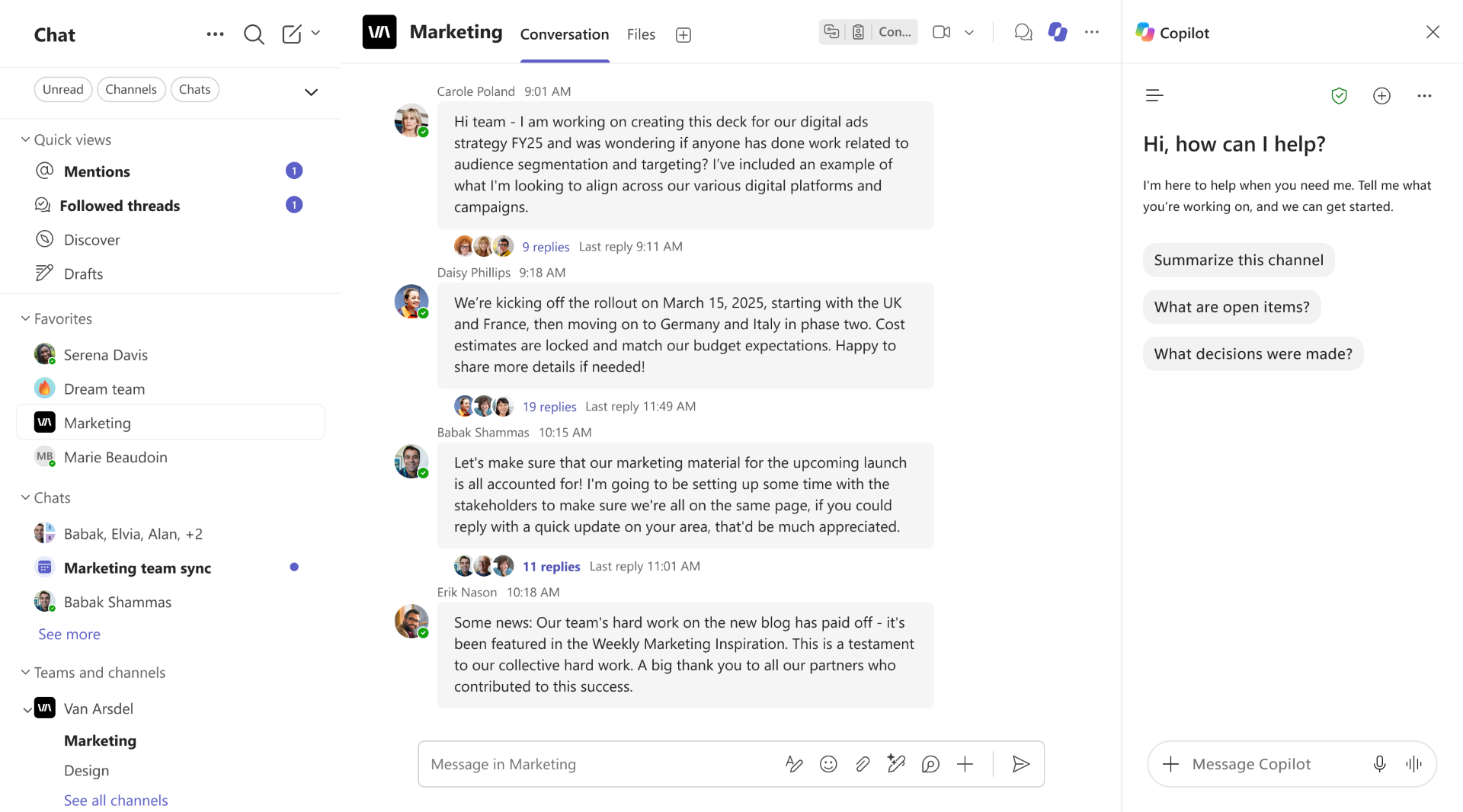
| Microsoft Teams: Copilot in channels provides channel-wide contextCategory:Microsoft TeamsNummer:MC1562277Status:stayInformed | [What and why] We are introducing a channel-level entry point for Copilot in Microsoft Teams. This enhancement allows users to ask questions and summarize conversations across posts and replies within a channel, rather than a single thread. This enhancement will be available in Microsoft Teams and Teams mobile. [Rollout schedule]
[Impact on your organization] Who is affected
Platforms and services
What will happen
[Action required and recommendations] No additional action is required. [Compliance considerations] Does the change provide end users any new way of interacting with generative AI?
| ||||||
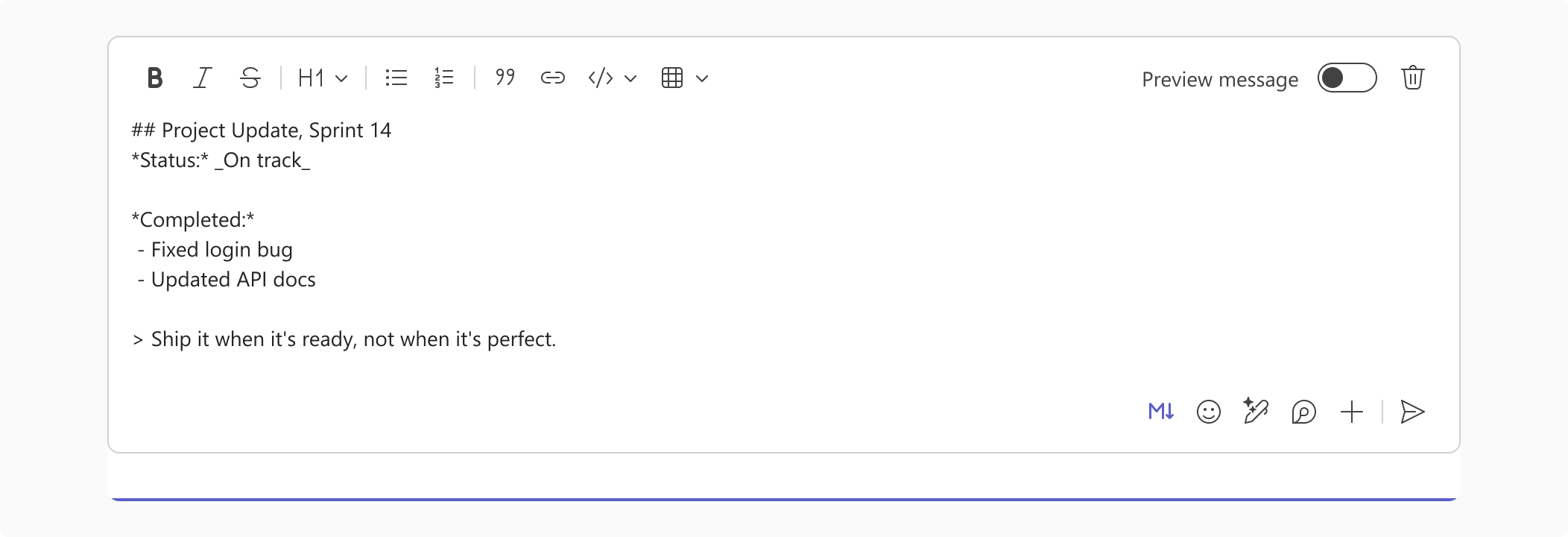
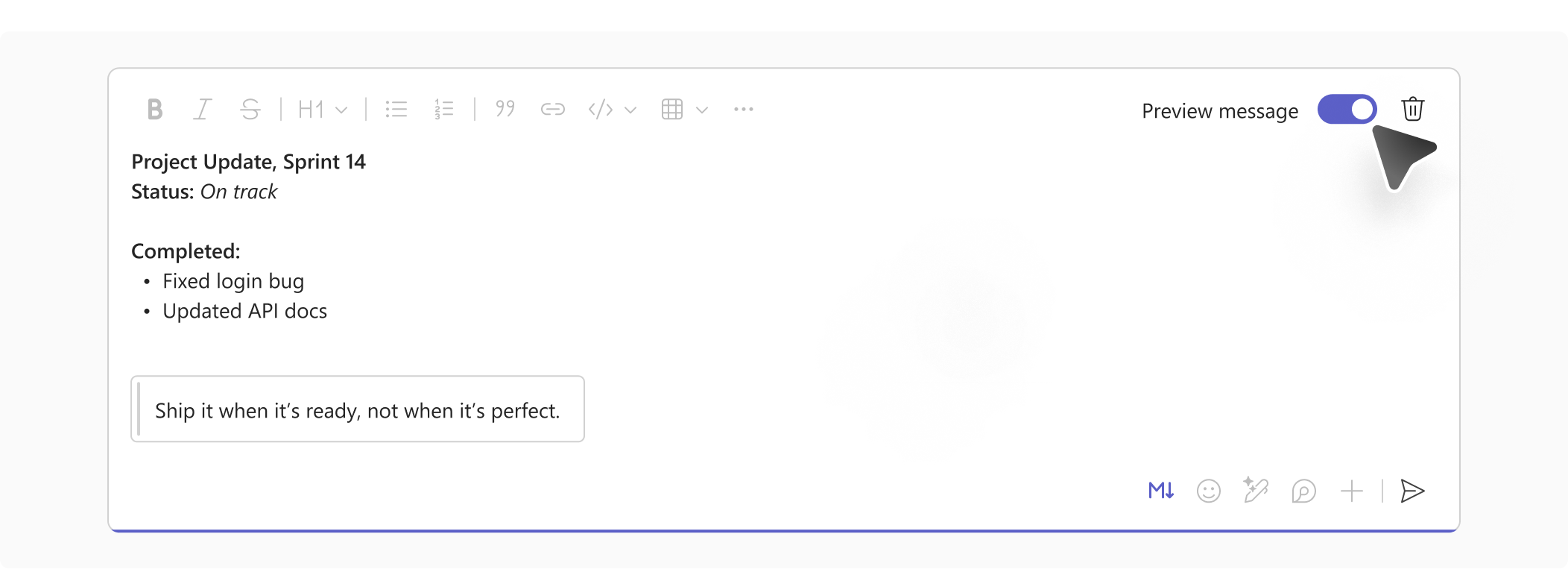
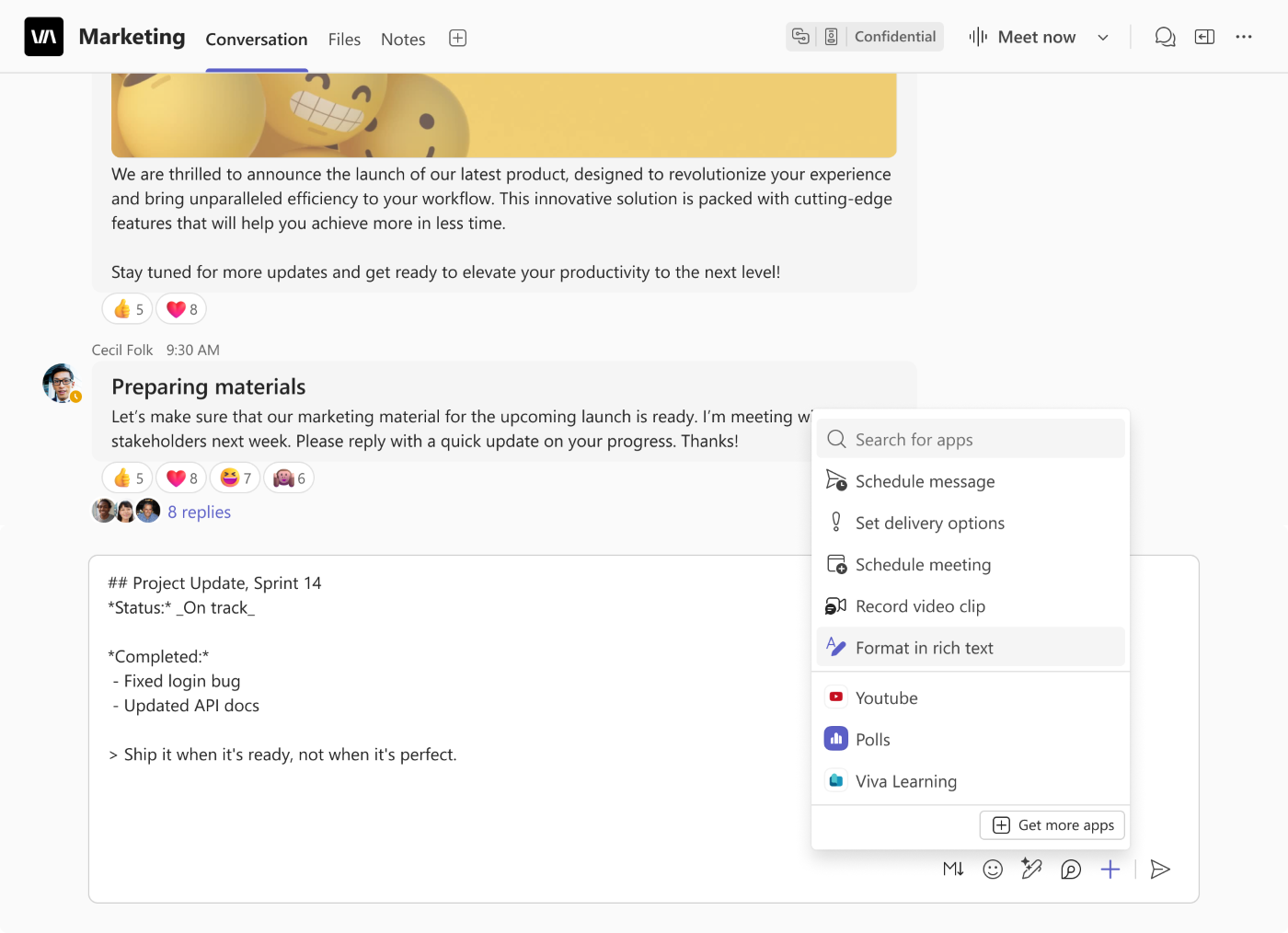
| Microsoft Teams: Expanded Markdown support in the compose boxCategory:Microsoft TeamsNummer:MC1562278Status:stayInformed | [What and why] Microsoft Teams is introducing an updated Markdown compose experience with expanded formatting support. Users can write and edit with Markdown syntax intact, without formatting automatically rendering as they type. A dedicated Markdown toolbar helps users insert formatting syntax, preview the rendered message before sending, and switch between Markdown and rich text. [Rollout schedule]
[Impact on your organization] Who is affected
Platforms and services
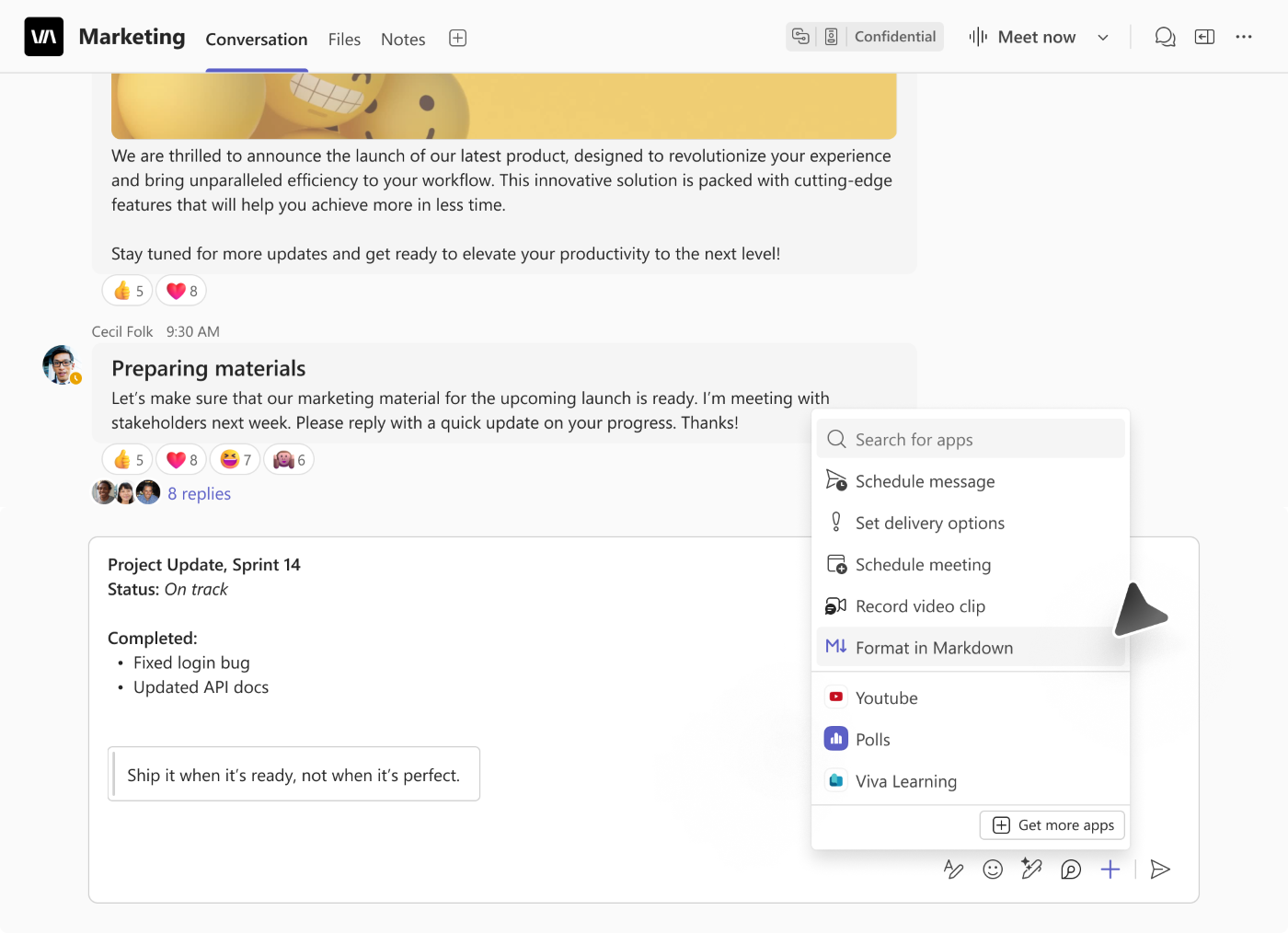
What will happen Users will be able to select Format in Markdown from the compose box’s Actions and apps (+) menu (Screenshot 1).
The updated experience includes:
Teams will remember the user’s selected compose mode and apply it across chats and channels until the user switches modes. Learn more [Action required and recommendations] No admin action is required to prepare for this feature. [Compliance considerations] No compliance considerations identified. Review as appropriate for your organization. | ||||||
| Microsoft Teams: View files and conversations side by sideCategory:Microsoft TeamsNummer:MC1562279Status:stayInformed | [What and Why:] Microsoft Teams is introducing a side-by-side experience that helps users review shared files without losing conversation context. When users open a PDF, Markdown, or HTML file from a chat or channel message, the conversation appears alongside the file at the message where it was shared. This update will be available in Microsoft Teams on Windows, Mac, and the web. [Rollout Schedule:] General Availability (Worldwide, GCC, GCC High, DoD): We will begin rolling out in late December 2026 and expect to complete by early January 2027. [Impact on Your Organization:] When users open a supported file from a chat or channel message, a conversation pane opens alongside the file preview. Users can read the related discussion and send messages or replies without leaving the file preview. Files opened from a file list without an originating message will not show the conversation pane. [Action Required/Recommendations:] No admin action is required. Consider notifying help desk staff and end users, and update internal guidance to explain how users can review files and respond to related conversations side by side. [Compliance considerations:] No compliance considerations identified. Review as appropriate for your organization. |