27-November-2026 Below you will find a collection of news published yesterday. This news consists of Microsoft’s Roadmap when it is updated it will be below with items. Then there will be a section with the message center, if there is anything new there, this will be automatically included. And it contains a piece from blogs that I follow myself and would like to share with you. If I miss something in the blogs that do have an RSS feed, please let me know.
This entire post was automated via Microsoft Flow
have fun reading!
Items from the MessageCenter in Microsoft 365
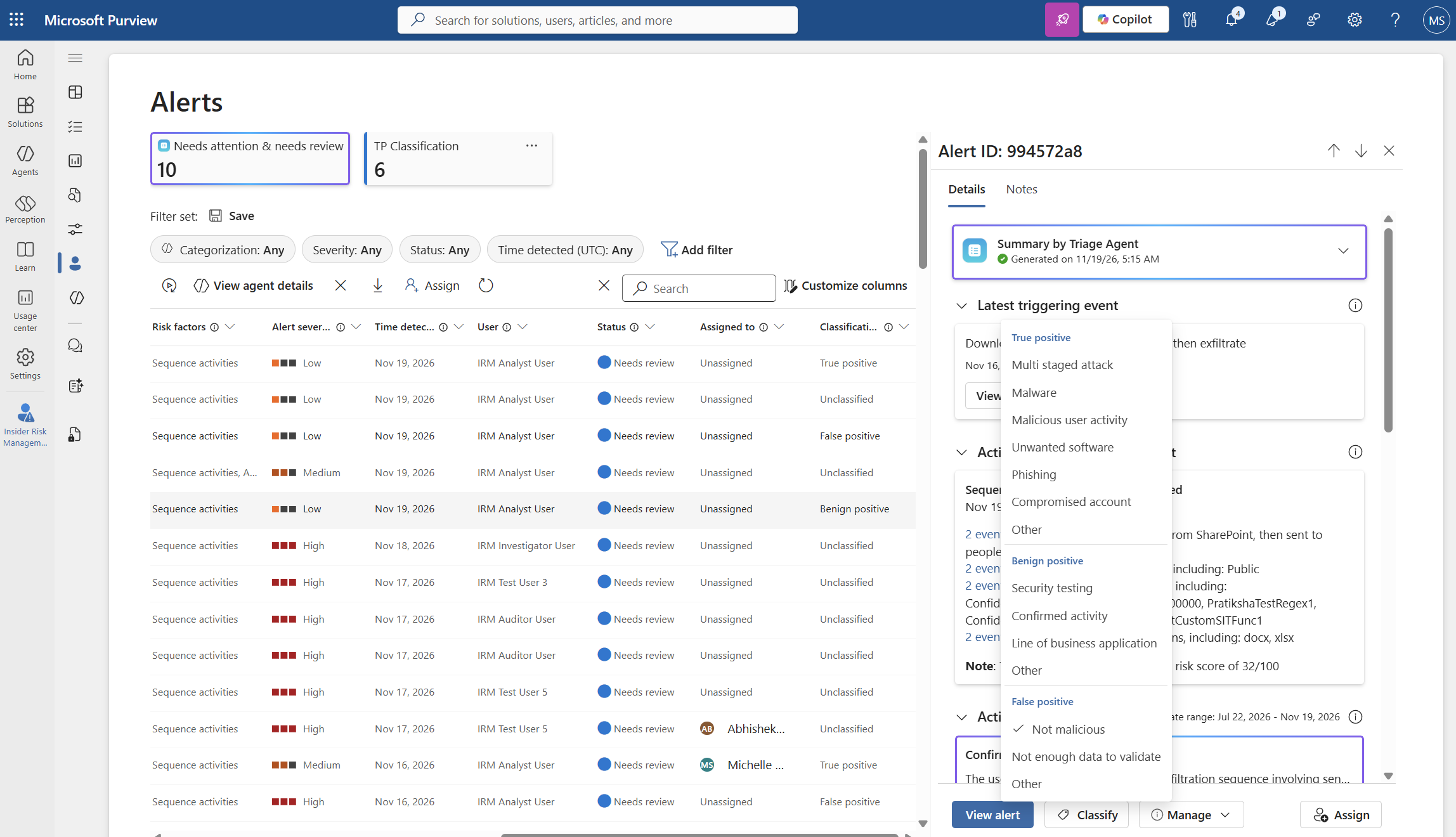
| Microsoft Purview: Insider Risk Management-Introducing IRM Alert classificationCategory:Microsoft PurviewNummer:MC1568697Status:planForChange | [What and Why:] Insider risk management will be introducing the ability to classify alerts as True positive, Benign (operational), and False positive. This will be available on all alerts where analysts can choose from a list of predefined classification reasons. Alert classification will help tenants to better classify risk within alerts to support reporting and tuning needs. This will replace existing dismissal reason. Microsoft Purview Insider Risk Management correlates various signals to identify potential malicious or inadvertent insider risks, such as IP theft, data leakage, and security violations. Insider Risk Management enables customers to create policies based on their own internal policies, governance, and organizational requirements. Built with privacy by design, users are pseudonymized by default, and role-based access controls and audit logs are in place to help ensure user-level privacy. [Rollout Schedule:] Public Preview: We will begin rolling out early December 2026 and expect to complete by mid-December 2026. Global: We will begin rolling out on mid-January 2027 and expect to complete by late January 2027. [Impact on Your Organization:] Alert classification will be managed independently from the alert’s workflow status, such as Needs review, Confirmed, Dismissed, or Resolved. Changing an alert’s classification will not automatically change its status, and changing its status will not overwrite its classification. This provides more precise investigation outcomes and maintains classification consistency for alerts shared between Microsoft Purview and Microsoft Defender. The alert action experience will also be updated. The existing Confirm and Dismiss actions will be consolidated under a Manage action, and a separate Classify action will allow analysts to add or update the alert classification. Steps to view:
[Action Required/Recommendations:] No configuration changes are required before this update rolls out. Admins should notify Insider Risk Management analysts and investigators about the new Classification field and the updated alert actions. Organizations should also review their investigation procedures and internal guidance to define when analysts should use each classification:
Microsoft Purview Insider Risk Management alerts Learn more about Insider Risk Management activities [Compliance considerations:] No compliance considerations identified, review as appropriate for your organization. |
| Campaigns in SharePointCategory:Microsoft VivaNummer:MC1568699Status:stayInformed | [What and Why:] Today we’re sharing an update to the new/upcoming SharePoint Publish experience: campaigns in SharePoint (site campaigns). This new capability brings Viva Amplify’s campaign management natively into SharePoint, giving corporate communications teams a unified place to create, distribute, and measure their news without leaving the platform where their news content already lives. This feature applies to both seeded SharePoint users and premium users licensed for Viva Amplify. Amplify users can continue to create Amplify app campaigns as they see fit. This new feature provides a complementary way to create lighter weight campaigns inside a SharePoint site as a way to organize your SharePoint news posts and benefit from campaign analytics directly from SharePoint. There are no changes to Viva Amplify’s license model. Note: Amplify ‘create campaign’ settings in the admin center only apply to Amplify app campaigns. [Rollout Schedule:] Preview (if applicable): Not Applicable Targeted Release (if applicable): Late July to August 2026 Standard Release (if applicable): August – Sept 2026 General Availability (Worldwide): We will begin rolling out on mid August 2026 and expect to complete by end of November 2026. [Impact on Your Organization:] Who is affected: • SharePoint and Viva Amplify users and corporate communications teams that publish and manage SharePoint news. Platforms/Services: • SharePoint Online, Viva Amplify. What will happen:
[Action Required/Recommendations:] There is no action for admins beyond reviewing any internal help or guidance you may have created for end users.
[Compliance considerations:] No compliance considerations identified, review as appropriate for your organization. |
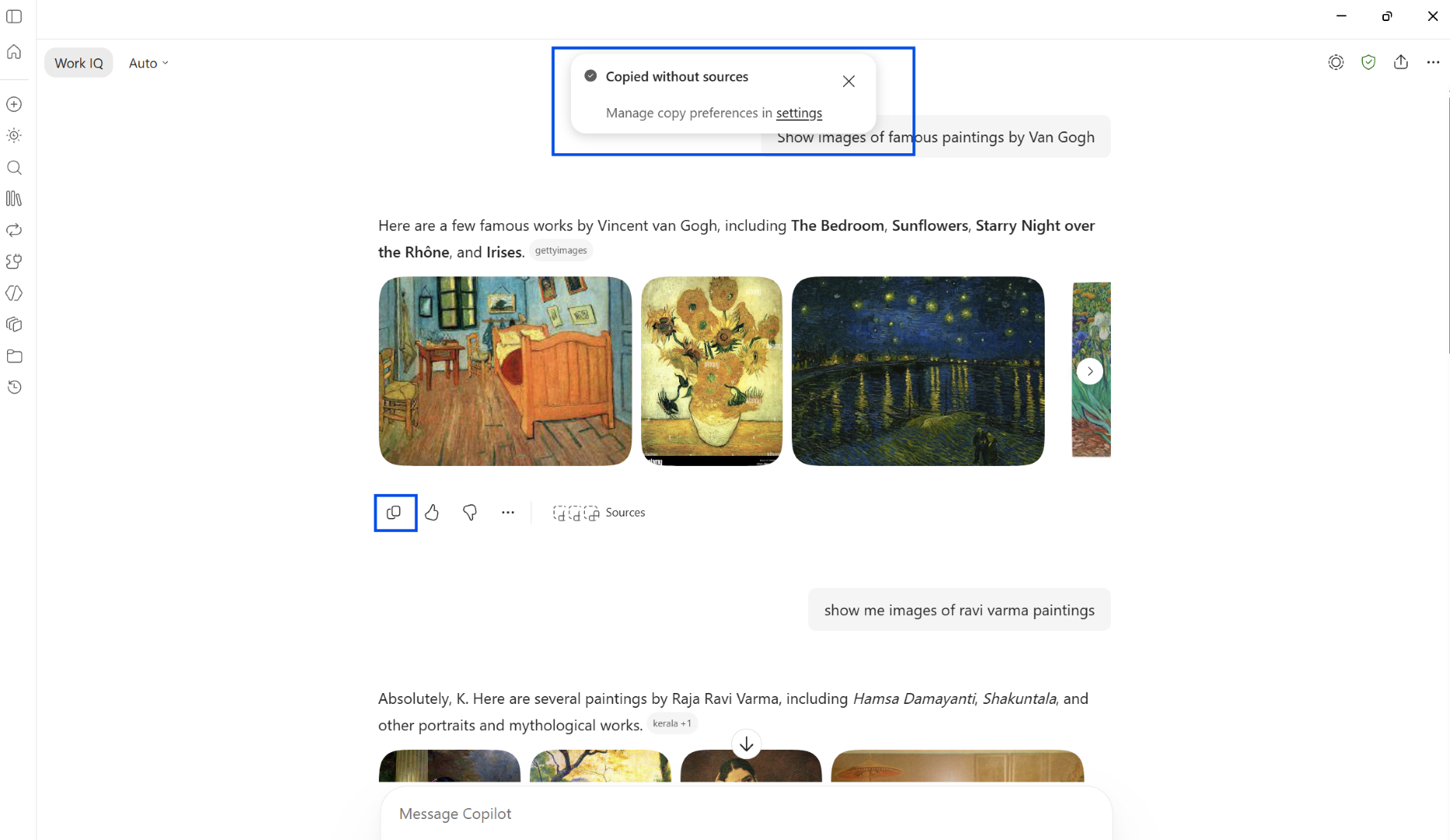
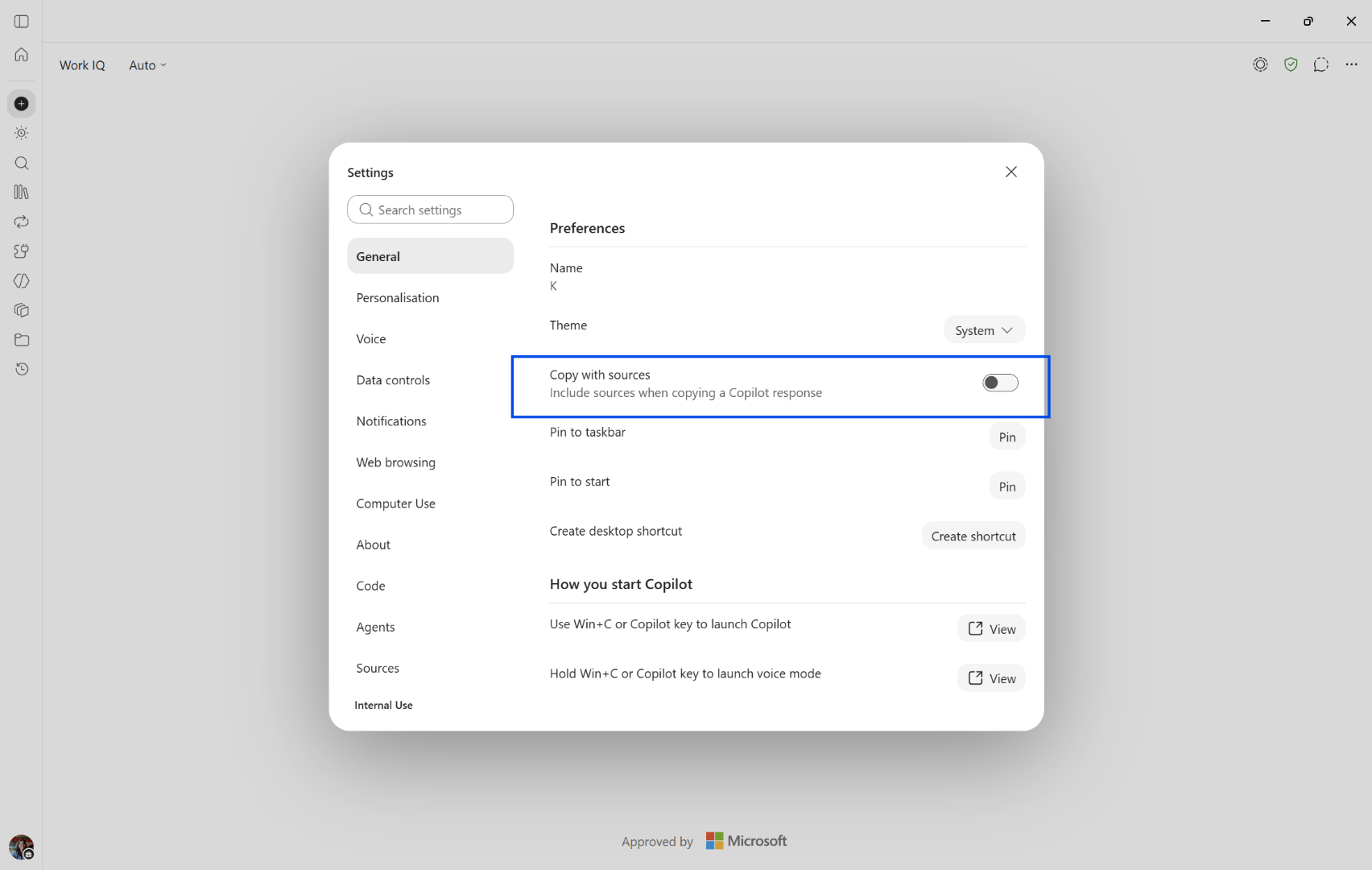
| Microsoft 365 Copilot: Customize how citations are included when copying responsesCategory:Microsoft Copilot (Microsoft 365)Nummer:MC1568700Status:stayInformed | [What and why] We are introducing a new option in Microsoft 365 Copilot that lets users choose whether to include citations when copying Copilot responses. This gives users more control over how they reuse Copilot-generated content and reduces the need to manually remove citations. [Rollout schedule]
[Impact on your organization] Who is affected
Platforms and services
What will happen
[Action required and recommendations] No administrator action is required. We recommend that you inform users about the new option for copying Copilot responses. [Compliance considerations] No compliance considerations identified. Review as appropriate for your organization. |
| Adding in app browsing control policiesCategory:Microsoft Copilot (Microsoft 365)Nummer:MC1568702Status:stayInformed | [What and Why:] We are expanding enterprise policy support for the Copilot desktop app’s built-in browser on Windows and Mac. This update adds admin controls across security, privacy, content access, authentication/network behavior, and download/permission management so organizations can align in-app browsing with their existing browser governance standards. [Rollout Schedule:] General Availability (Worldwide): Available now. [Impact on Your Organization:] This feature gives organizations stronger administrative control over the Copilot desktop app’s built-in browser on Windows and Mac. Customers can apply enterprise policies for security, privacy, authentication, network behavior, and site/content access so in-app browsing aligns with existing compliance and governance standards. For end users, this improves consistency with corporate browser rules; some browsing capabilities may be restricted or prompted based on admin policy configuration. [Action Required/Recommendations:] These additional policies only apply if the built-in browser is enabled via the “BrowsingEnabled” policy, which is off by default. Admins should review current browser governance and apply the new Copilot in-app browsing policies to match existing security/compliance standards, then validate critical sites/auth flows with a pilot group and communicate any user-facing behavior changes. [Compliance considerations:] No compliance considerations identified. Review as appropriate for your organization. |