26-November-2026 Below you will find a collection of news published yesterday. This news consists of Microsoft’s Roadmap when it is updated it will be below with items. Then there will be a section with the message center, if there is anything new there, this will be automatically included. And it contains a piece from blogs that I follow myself and would like to share with you. If I miss something in the blogs that do have an RSS feed, please let me know.
This entire post was automated via Microsoft Flow
have fun reading!
Office 365 Roadmap Updated: 2026-11-26
Additions : 9
Updates : 8
More Details At: www.roadmapwatch.com
Items from the MessageCenter in Microsoft 365
| (Updated) Microsoft Purview | DLM: Legacy Teams retention policies that cover Copilot will be treated as Teams-onlyCategory:Microsoft PurviewNummer:MC1481313Status:planForChange | Updated November 25, 2026: We are updating this post as a reminder. Thank you for your patience. [What and why] Microsoft Purview is updating how legacy Microsoft Teams retention policies are applied. Some existing retention policies that are scoped to Teams currently also apply to Microsoft 365 Copilot interactions. Beginning with this rollout, these legacy policies will be treated as Teams-only policies and will no longer implicitly apply to Copilot workloads. [Rollout schedule]
[Impact on your organization] Who is affected
Platforms and services
What will happen
[Action required and recommendations] Action is required if you currently rely on Teams retention policies to govern Copilot interactions.
[Compliance considerations]
| ||||||
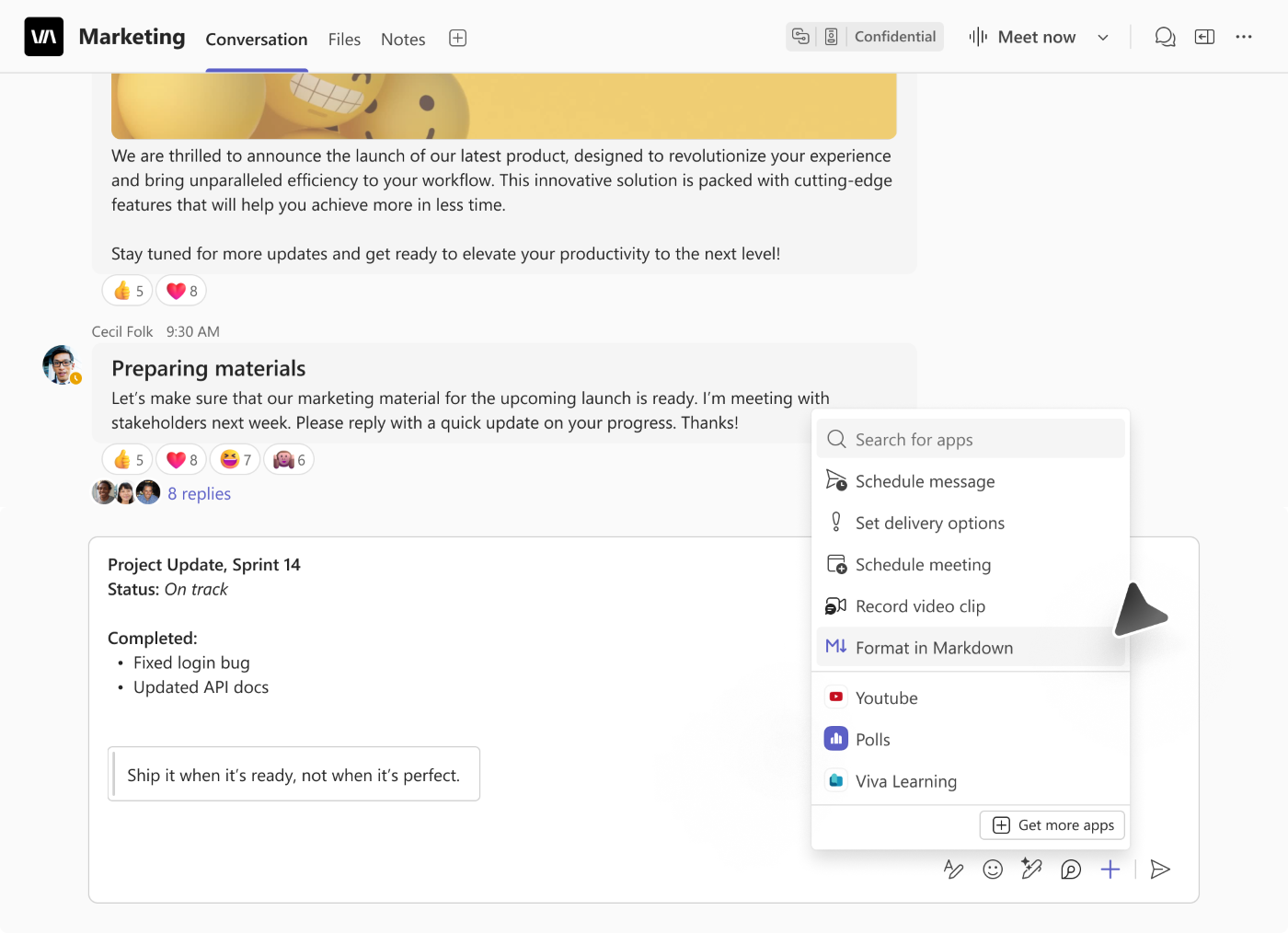
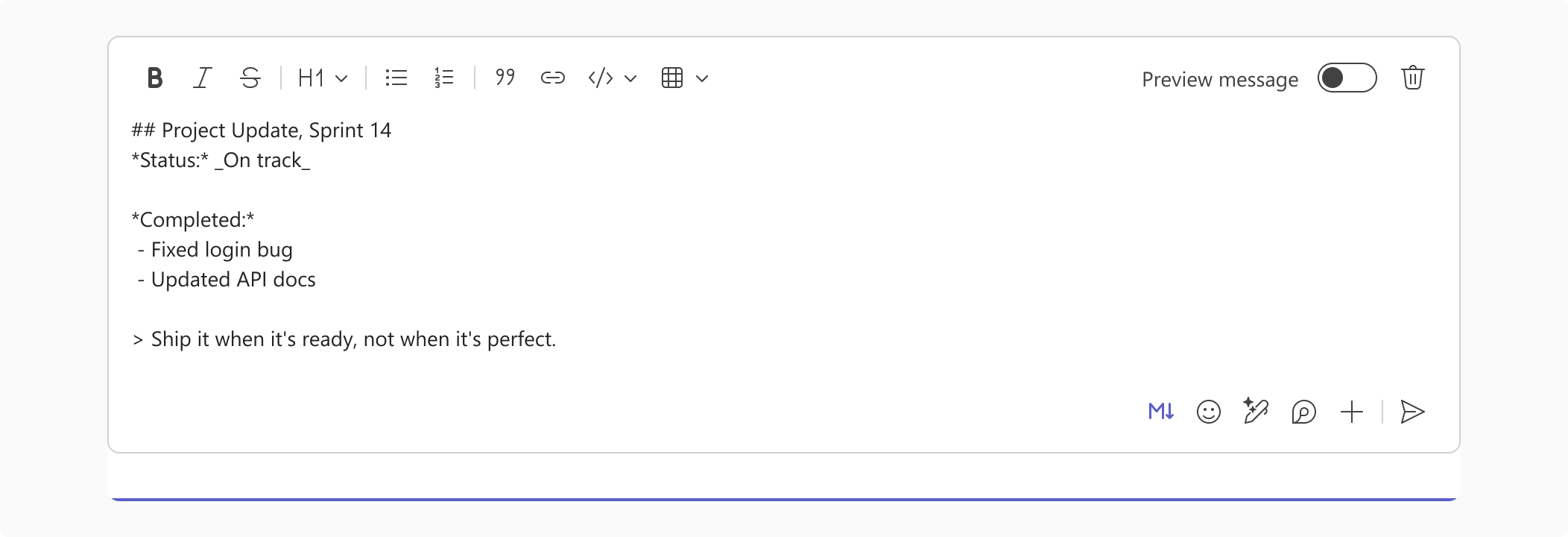
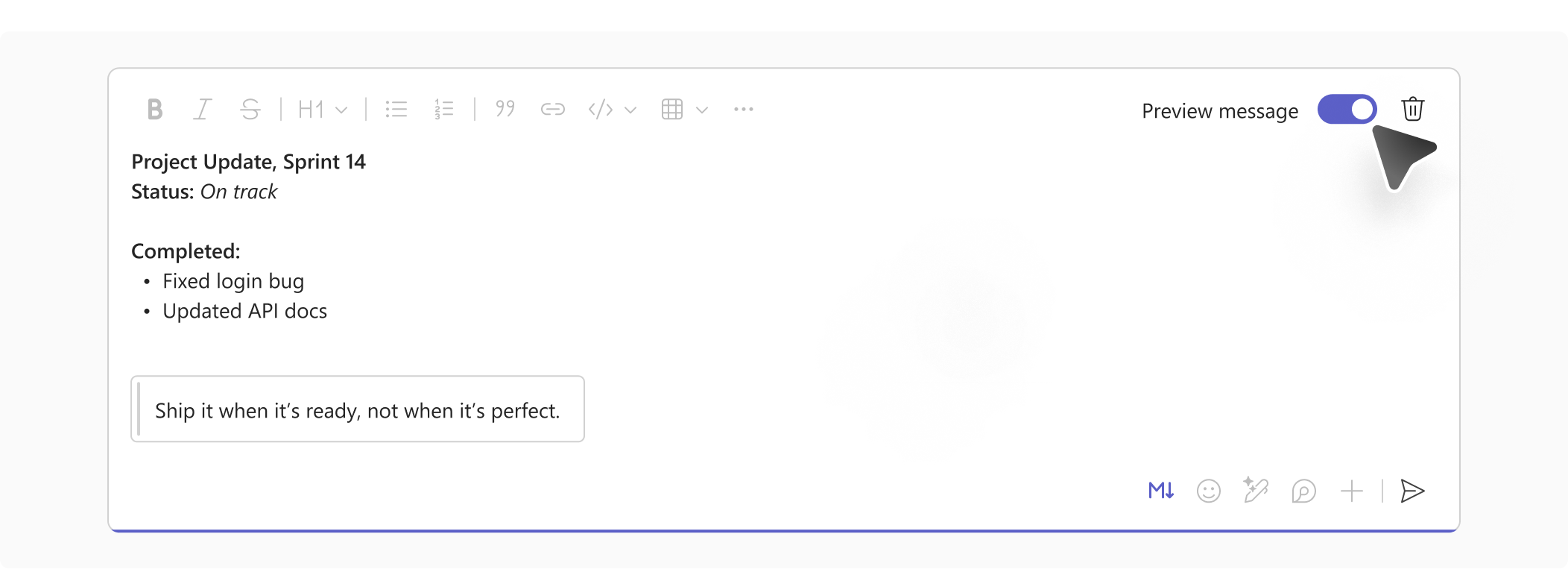
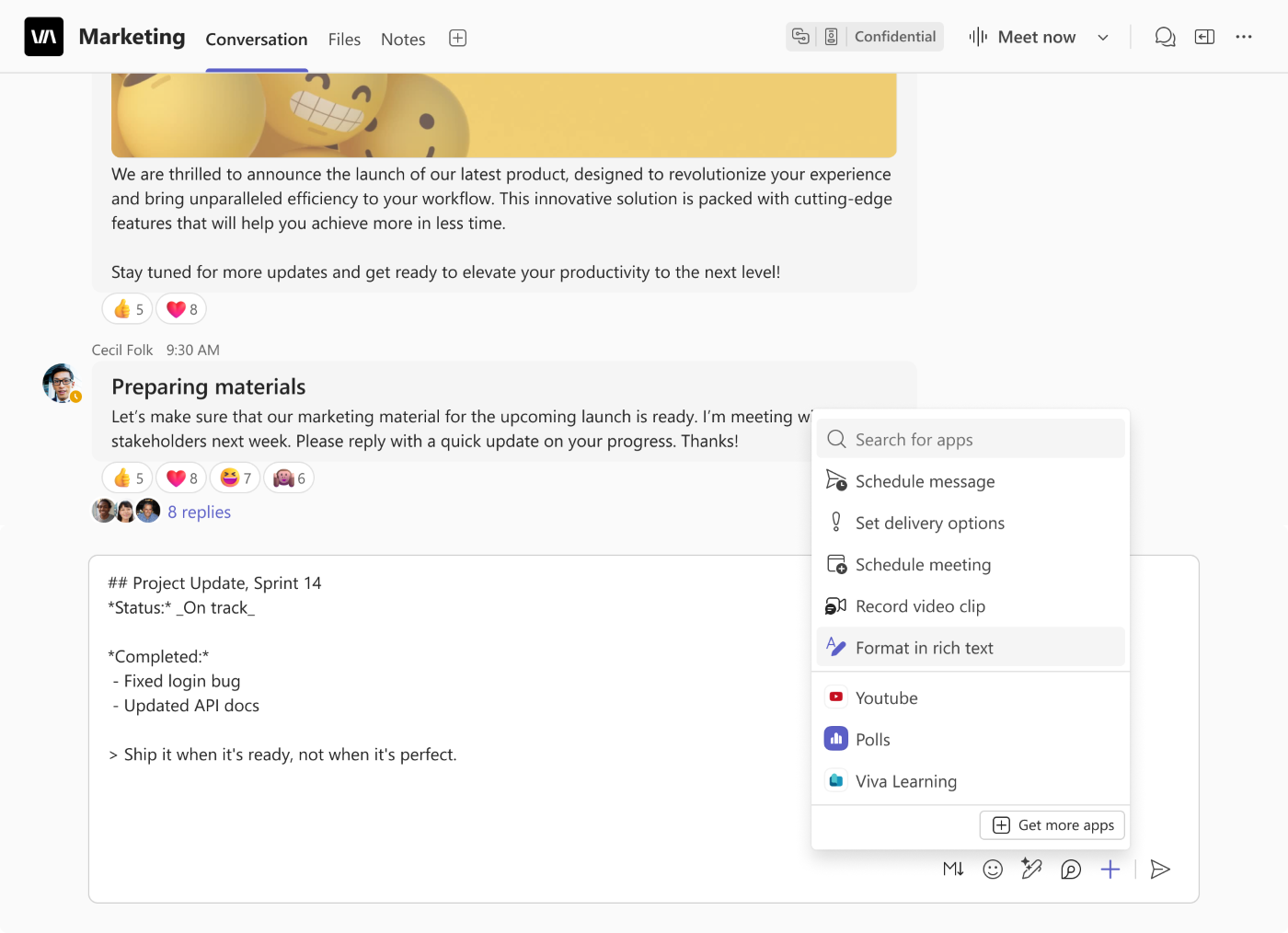
| (Updated) Microsoft Teams: Expanded Markdown support in the compose boxCategory:Microsoft TeamsNummer:MC1562278Status:stayInformed | Updated November 25, 2026: We have updated the timeline. Thank you for your patience. [What and why] Microsoft Teams is introducing an updated Markdown compose experience with expanded formatting support. Users can write and edit with Markdown syntax intact, without formatting automatically rendering as they type. A dedicated Markdown toolbar helps users insert formatting syntax, preview the rendered message before sending, and switch between Markdown and rich text. [Rollout schedule]
[Impact on your organization] Who is affected
Platforms and services
What will happen Users will be able to select Format in Markdown from the compose box’s Actions and apps (+) menu (Screenshot 1).
The updated experience includes:
Teams will remember the user’s selected compose mode and apply it across chats and channels until the user switches modes. Learn more [Action required and recommendations] No admin action is required to prepare for this feature. [Compliance considerations] No compliance considerations identified. Review as appropriate for your organization. | ||||||
| (Updated) Video creation from a prompt in Microsoft Clipchamp: now in Video Hub, with an upgraded experience comingCategory:Microsoft Clipchamp Nummer:MC1566260Status:planForChange | Updated November 25, 2026: We have updated the content. Thank you for your patience. [What and Why:] Creating a video from a text prompt in Microsoft Clipchamp has moved. It’s now in Clipchamp Home, the start page of the Clipchamp app, instead of Copilot Create and the ‘Generate a video’ option in the Clipchamp editor. The upgraded experience will be available to the same users as part of their existing subscription. [Rollout Schedule:] General Availability (Worldwide): Now: creating a video from a prompt is available in Clipchamp Home. By the end of February 2027: the upgraded experience replaces the current one. We’ll publish an update to this post with confirmed dates. [Impact on Your Organization:] To create a video from a prompt, users go to m365.cloud.microsoft, open the app launcher, select More apps, select Clipchamp, and then use the prompt box at the top of Clipchamp Home. Step-by-step instructions: How to create video with Copilot. When the upgraded experience arrives, users get the same capabilities with better video quality. Existing content stays where it is. Video projects and exported MP4 files remain in users’ OneDrive or SharePoint, and users can keep opening, editing and exporting them in Clipchamp. All other Clipchamp features and admin settings stay the same. [Action Required/Recommendations:] No admin action is needed. You might want to share the support article above and tell users that video creation from a prompt is now in Clipchamp Home, and update any internal training or help content to match. [Compliance considerations:] No compliance considerations identified, review as appropriate for your organization. | ||||||
| Power Apps – Information about SharePoint thumbnails not renderingCategory:Power AppsNummer:MC1567320Status:preventOrFixIssue | We identified that changes made in relation to the retirement of SharePoint temporary authentication URLs communicated under [MC1551122] may prevent thumbnails for SharePoint items from rendering in Power Apps. How does this affect me? SharePoint thumbnails displayed in your apps may not render. Other app functionality is not as affected. What action do I need to take? To restore missing SharePoint thumbnails, republish the affected app. After the app is republished, users who start or restart it should see thumbnails render correctly within one hour. If your SharePoint thumbnails are rendering in Power Apps as expected, no action is required. | ||||||
| (Updated) Microsoft Purview | Communication Compliance: Policy alerts improvementsCategory:Microsoft PurviewNummer:MC920304Status:stayInformed | Updated November 25, 2026: We have updated the timeline. Thank you for your patience. Microsoft Purview Communication Compliance is improving the capabilities and customization of policy alerts. This message is associated with Microsoft 365 Roadmap ID 181825. [When this will happen:] Public Preview: We will begin rolling out October 2026 (previously late July 2025) and expect to complete by end of October 2026 (previously mid-Aug 2025). General Availability (Worldwide): We will begin rolling out late May 2027 and expect to complete by mid-August 2027. [How this will affect your organization:] Communication Compliance is improving the capabilities and customization of policy alerts. Admins will be able to customize the alert frequency per policy as well as adjust the email alerts frequency and recipients within the policy creation wizard by navigating to the new alerts page. This new feature is available by default. [What you need to do to prepare:] Microsoft Purview Communication Compliance provides the tools to help organizations detect business conduct and regulatory compliance violations (e.g. SEC or FINRA), such as sensitive or confidential information, harassing or threatening language, and sharing of adult content. Usernames are pseudonymized by default, role-based access controls are built in, investigators are opted in by an admin, and audit logs are in place to help ensure user-level privacy. You can access the Communication Compliance solution in the Microsoft Purview compliance portal. Learn more: • Learn about communication compliance • Create and manage communication compliance alert policies | Microsoft Learn |