24-November-2026 Below you will find a collection of news published yesterday. This news consists of Microsoft’s Roadmap when it is updated it will be below with items. Then there will be a section with the message center, if there is anything new there, this will be automatically included. And it contains a piece from blogs that I follow myself and would like to share with you. If I miss something in the blogs that do have an RSS feed, please let me know.
This entire post was automated via Microsoft Flow
have fun reading!
Office 365 Roadmap Updated: 2026-11-24
Additions : 13
Updates : 5
More Details At: www.roadmapwatch.com
Items from the MessageCenter in Microsoft 365
| (Updated) Microsoft Outlook for iOS/Android: Improved Contacts with profile enrichment and duplicate managementCategory:Exchange Online Microsoft 365 appsNummer:MC1093912Status:stayInformed | Updated November 23, 2026: We have updated the timeline. Thank you for your patience. We’re enhancing the contact experience in Microsoft Outlook Mobile (iOS and Android) by introducing profile-enriched contacts and automatic duplicate contact management. These improvements aim to streamline contact views and provide richer organizational context. This message is associated with Microsoft 365 Roadmap ID 493753. This feature has previously been released to the People Hub in new Outlook for Windows. More details in MC927963 (Updated) New Microsoft Outlook for Windows: People Hub improvements (published November 2024, updated April 2025). [When this will happen:] General Availability (Worldwide): We will begin rolling out mid-July 2025 (previously late June) and expect to complete by end of March 2027 (previously mid-November 2026). [How this will affect your organization:] Before this rollout, Outlook Mobile may have displayed multiple entries for the same contact and lacked organizational profile context. After this rollout:
[What you need to do to prepare:] This rollout will happen automatically by the specified dates with no admin action required before the rollout. You may want to notify your users about this change and update internal documentation. After the feature is rolled out, please ensure that users have updated to the latest version of Outlook for iOS or Outlook for Android. Learn more: Manage Outlook contacts in your organization – Microsoft Support | ||||||||||||||
| Microsoft Purview | Data Lifecycle Management – Hard delete OneDrive and SharePoint files with priority cleanup workflowCategory:Microsoft PurviewNummer:MC1261587Status:planForChange | Updated November 23, 2026: We have updated the timeline. Thank you for your patience. [Introduction] We are introducing a new priority cleanup workflow in Microsoft Purview Data Lifecycle Management that allows administrators to permanently delete (hard delete) specific OneDrive and SharePoint content types, even when retention policies or holds are in place. This capability helps reduce data exposure risk from rapidly growing Copilot-related content while maintaining compliance through required eDiscovery admin review and approval. This change is associated with Microsoft 365 Roadmap ID 558343. [When this will happen:] Public Preview: We will begin rolling out mid-August 2026 (previously mid-July) and expect to complete by early December 2026 (previously end of November). General Availability (Worldwide) Rollout begins early December 2026 (previously end of November) and is expected to complete by mid-January 2027 (previously early January). [How this affects your organization:] Who is affected:
What will happen:
[What you can do to prepare:]
Learn more: Compare types of groups in Microsoft 365 – Microsoft 365 admin | Microsoft Learn [Compliance considerations:]
| ||||||||||||||
| (Updated) Microsoft Purview | Data Lifecycle Management – Archive SharePoint files under retentionCategory:Microsoft PurviewNummer:MC1325441Status:stayInformed | Updated November 23, 2026: We have updated the timeline. Thank you for your patience. [What and Why] Microsoft Purview Data Lifecycle Management is introducing the ability to archive SharePoint files based on retention policies. This feature helps organizations reduce storage costs by moving inactive content to Microsoft 365 Archive while maintaining compliance and discoverability. By excluding archived content from Copilot indexing, organizations can also improve the relevance and quality of Copilot responses, ensuring users focus on current, active data. This message is associated with Microsoft 365 Roadmap ID 561208. [Rollout Schedule] Public Preview: We will begin rolling out early September 2026 (previously mid-August) and expect to complete by early October 2026 (previously early September). General Availability (Worldwide): Rollout will begin early December 2026 (previously mid-November) and is expected to complete by early January 2027 (previously early December 2026). [Impact on Your Organization] Who is affected
Platforms/ServicesPlatforms/Services
What will happen
[Action Required / Recommendations] No immediate action is required. To prepare and take advantage of this feature:
[Compliance Considerations]
| ||||||||||||||
| (Updated) Migrate Free/Busy, MailTips, and Calendar Sharing before EWS deprecationCategory:Exchange OnlineNummer:MC1446796Status:planForChange | Updated November 23, 2026: We have updated the timeline. Gov rollout of this feature is still paused at this time. We will communicate via Message center when we are ready to proceed. We apologize for any inconvenience. [What and Why:] Exchange Web Services (EWS) deprecation begins October 1, 2026. Cross-tenant collaboration features — Free/Busy, MailTips, and Calendar Sharing — currently rely on EWS. Cross-tenant Free/Busy, MailTips will be available by September 2026 and Calendar Sharing will be available by early December 2026 (previously late November) via Microsoft 365 Cross-Tenant Access Policy, which replaces EWS-based cross-tenant collaboration. [Rollout Schedule:]
[Impact on your organization:] Sharing Free/Busy, Calendars, and MailTips (e.g., out of office message) with another Microsoft 365 organization via Organization Relationship or Sharing Policy relies on Exchange Web Services (EWS), which is being deprecated. To preserve these cross-tenant collaboration scenarios, you will need to start migrating to Microsoft 365 Cross Tenant Access Policy. Your tenant is affected if it uses any of the following Exchange Online configurations:
Run these commands in Exchange Online PowerShell to check if your tenant is affected:
What happens if I do nothing: Starting October 1, 2026, Exchange Web Services (EWS) will be gradually disabled in line with previous communications linked to this message. As this rollout reaches your tenant, cross-tenant Free/Busy, MailTips, and Calendar Sharing that rely on EWS will be affected — recipients in partner organizations may no longer see Free/Busy, MailTips, or shared calendars from your tenant. If your organization is not ready to migrate, you can retain EWS access by following the guidance of the latest blog we published: ExchangeOnline EWS, Your Time is Almost Up (EWSEnabled set to True) while you prepare and execute the migration steps attached to this message. EWS access through this extension will remain available until the final EWS shutdown on April 1, 2027. [Action Required/Recommendations:]
[Additional information:]
| ||||||||||||||
| (Updated) Microsoft Purview: Archive SharePoint files under retention policiesCategory:Microsoft PurviewNummer:MC1472601Status:planForChange | Updated November 23, 2026: We have updated the timeline. Thank you for your patience. [What and why] Microsoft Purview Data Lifecycle Management now allows admins to archive SharePoint files based on retention policies. This helps organizations reduce storage costs by moving inactive content to Microsoft 365 Archive while maintaining compliance and discoverability. Archived content is excluded from Copilot indexing, which can improve the relevance of Copilot responses by focusing results on current, active data. [Rollout schedule] General Availability (GCC, GCC High, DoD): Beginning in mid-January 2027 (previously early December 2026) and expected to complete by mid-February 2027 (previously early January) [Impact on your organization] Who is affected
Platforms and services
What will happen
[Action required and recommendations] No immediate action is required. To prepare for and take advantage of this feature, we recommend that you:
Learn more: Configure Microsoft 365 retention settings to automatically retain or delete content | Microsoft Learn [Compliance considerations]
| ||||||||||||||
| (Updated) Microsoft Entra: Choose your own telephony provider now generally availableCategory:Microsoft EntraNummer:MC1519855Status:stayInformed | Updated November 23, 2026: Bring Your Own Telephony (BYOT) is now generally available. We’ve updated this post with BYOT details. Updated October 30, 2026: We have updated this post with additional information as the feature is now generally available. Thank you for your patience. [What and why] Choose Your Own Telephony Provider (CYOT) and Bring Your Own Telephony Provider (BYOT) are now generally available in Microsoft Entra ID. Both connect Microsoft Entra to a telephony provider through an integration in your Azure subscription, but you purchase and deploy them differently. Microsoft Entra continues to manage the authentication experience, including one-time passcode (OTP) generation and validation, and your provider delivers the SMS messages and voice calls.
With either option, your organization owns the Azure resources in your subscription and your telephony provider account. Microsoft-provided SMS and voice authentication starts retiring on February 1, 2027. If your users need SMS or voice after that date, set up CYOT or BYOT before then. Microsoft recommends phishing-resistant authentication methods, such as passkeys, instead of SMS or voice. Use a telephony provider only for user groups that have a business, regulatory or technical need for telephony-based authentication. [What you need to do] If your organization needs to keep SMS or voice authentication:
Learn more
| ||||||||||||||
| (Updated) Microsoft Teams: Updated recording and transcript access setting behavior for town halls and webinarsCategory:Microsoft TeamsNummer:MC1550542Status:preventOrFixIssue | Updated November 23, 2026: We have updated the timeline. Thank you for your patience. [What and why] We are updating how the Who has access to the recording or transcript option appears for Microsoft Teams Events scheduling through the Events App including town halls and webinars. Currently, when [Rollout schedule]
[Impact on your organization] Who is affected
Platforms and services
What will happen The Who has access to the recording or transcript option will be based on the applicable [Action required and recommendations] No action is required to enable this change. We recommend updating your internal documentation to reflect this change. [Compliance considerations] No compliance considerations identified. Review as appropriate for your organization. | ||||||||||||||
| (Updated) Microsoft Viva Engage: Retiring the legacy live event creation option in EngageCategory:Microsoft VivaNummer:MC1552394Status:planForChange | Updated November 23, 2026: We have updated the timeline and content. Thank you for your patience. [What and why] We’re retiring the legacy live event experience in Engage. Starting December 7, 2026, users will no longer be able to create new events with the legacy option, which appears as the link “Want to schedule an event with the legacy live event feature? Click here.” This change doesn’t affect Engage events. Organizers can still create all Engage event types from communities and storylines:
[Rollout schedule] December 7, 2026: The legacy live event creation option is removed from Engage. Previously scheduled legacy events will run as planned. [Impact on your organization] Who is affected
Platforms and services
[What will happen]
[Action required and recommendations]
[Learn more] Engage events overview | Microsoft Support https://support-uat.microsoft.com/en-us/viva/engage/engage-events-overview Organize an Engage event | Microsoft Support https://support.microsoft.com/viva/engage/organize-an-engage-event Microsoft Teams events: A new unified experience makes it easier to discover, create, and manage events | Microsoft Community Hub https://techcommunity.microsoft.com/blog/microsoftteamsblog/microsoft-teams-events-a-new-unified-experience-makes-it-easier-to-discover-crea/4488299 | ||||||||||||||
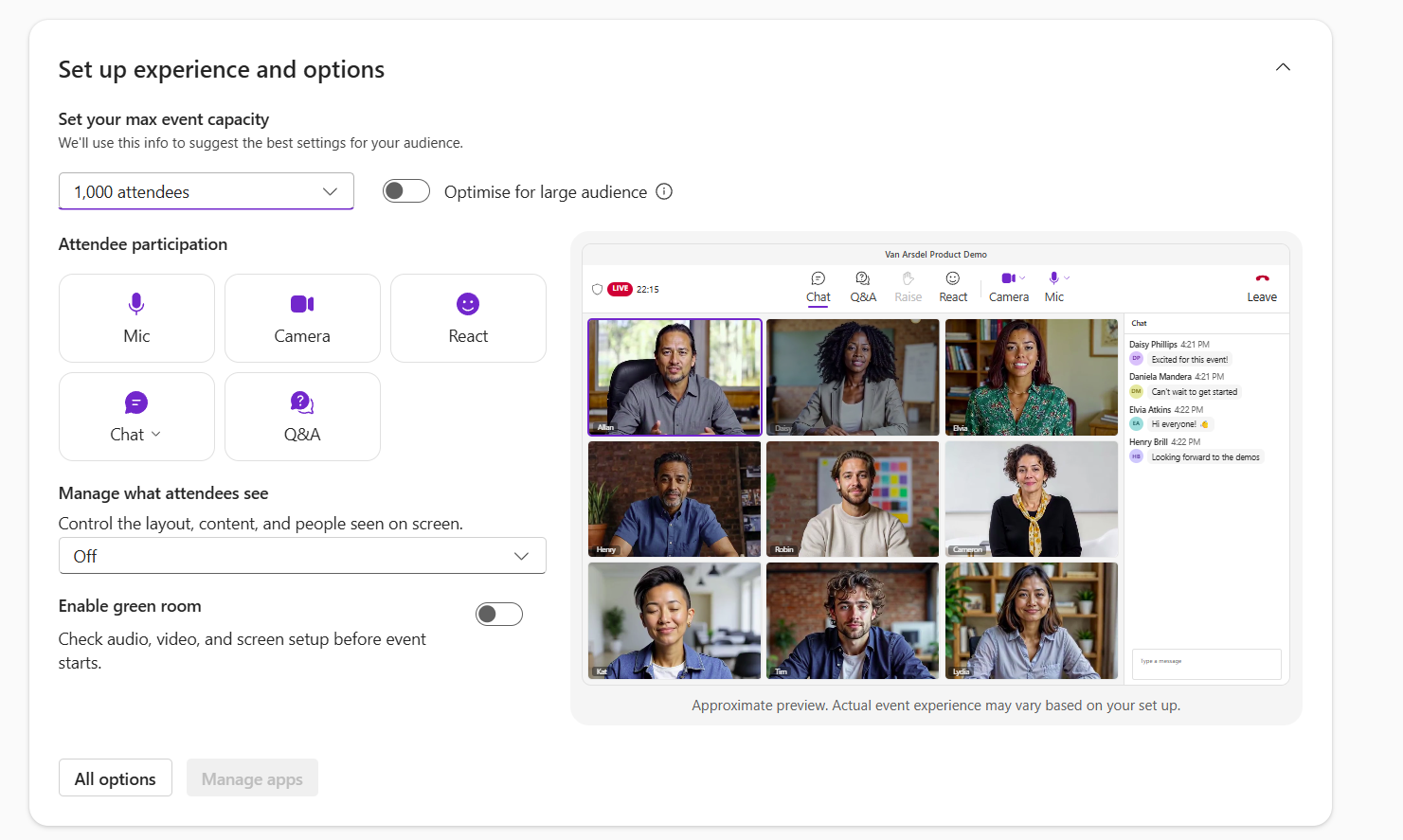
| (Updated) Microsoft Teams: Registration capacity for town halls and webinars increases to 20,000Category:Microsoft TeamsNummer:MC1557760Status:stayInformed | Updated November 23, 2026: We have updated the timeline. Thank you for your patience. [What and why] Starting in December, registration capacity for Microsoft Teams town halls and webinars scales with the event’s attendee capacity, up to 20,000 registrations per event. Organizers with Teams Enterprise can allow up to 3,000 registrations. Organizers with Attendee Capacity Packs can allow up to 20,000. Organizers can use this to plan large-scale events with registration. [Rollout schedule]
[Impact on your organization] Who is affected
Platforms and services
What will happen
[Action required and recommendations] No action is required. To prepare, you can:
[Compliance considerations] No compliance considerations identified. Review as appropriate for your organization. | ||||||||||||||
| Plan for Change: Updates to policy-related reporting in Microsoft Intune Data WarehouseCategory:Microsoft IntuneNummer:MC1565960Status:planForChange | Starting January 4, 2027, or soon after, we are updating Microsoft Intune Data Warehouse infrastructure to align policy-related reporting with updated Intune reporting infrastructure. This update applies to the following collections:
[How this will affect your organization:] Existing Data Warehouse connections and report schemas will remain unchanged. Following this update, you may notice differences in policy-status counts in reports that use the affected collections. Note: Counts in Data Warehouse may also differ from reports in the Intune admin center due to differences in refresh timing and data aggregation. [What you need to do to prepare:] No action is required. If your organization uses the affected collections for custom reporting or analysis, you may notice that policy-status counts may change following the update. Learn more: Use the Intune Data Warehouse – Microsoft Intune | Microsoft Learn | ||||||||||||||
| Microsoft SharePoint Online: Classic publishing restrictions begin March 1, 2027Category:SharePoint OnlineNummer:MC1565964Status:planForChange | [What and why] As previously announced in MC1464926, we are introducing restrictions on classic publishing and custom scripting in SharePoint Online to reduce security and governance risks associated with legacy customization. Beginning March 1, 2027, we will block the creation of new classic publishing sites and the activation of publishing features for site collections and subsites across all tenants. Administrators will no longer be able to override these restrictions using the This reminder outlines the changes taking effect on March 1, 2027, and the steps administrators should take to prepare. [Rollout schedule]
[Impact on your organization] Who is affected
Platforms and services
What will happen All tenants, beginning March 1, 2027:
Additional restrictions for tenants created on or after March 1, 2027:
Classic user-created pages in scope:
[Action required and recommendations] Before March 1, 2027:
To prepare for October 1, 2028, we recommend that existing tenants:
[Learn more] |