Microsoft Roadmap, messagecenter and blogs updates from 24-11-2026

het nieuws van Microsoft message center roadmap en blogs - KbWorks - SharePoint and Teams Specialist

24-November-2026 Below you will find a collection of news published yesterday. This news consists of Microsoft’s Roadmap when it is updated it will be below with items. Then there will be a section with the message center, if there is anything new there, this will be automatically included. And it contains a piece from blogs that I follow myself and would like to share with you. If I miss something in the blogs that do have an RSS feed, please let me know.

This entire post was automated via Microsoft Flow
have fun reading!

Office 365 Roadmap Updated: 2026-11-24

Additions : 13
Updates : 5

More Details At: www.roadmapwatch.com


New FeaturesCurrent Status
PowerPoint: Customize your Presenter view layoutIn Development
Outlook: Add Custom Flag Descriptions for Clearer Follow-UpsIn Development
Microsoft Copilot (Microsoft 365): The more you use Copilot in Office the better it getsIn Development
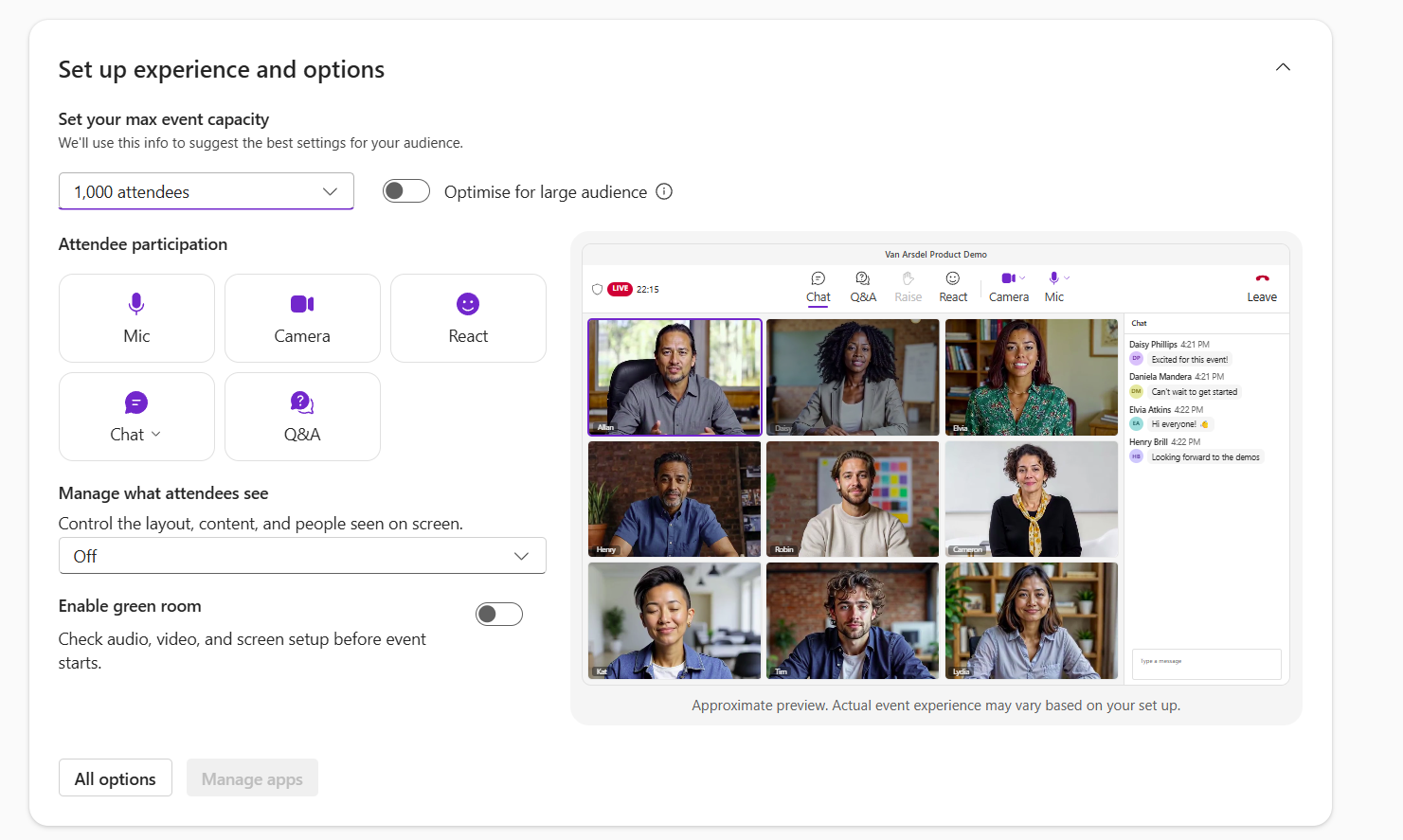
Microsoft Teams: Share reactions at events with up to 100,000 attendeesIn Development
Microsoft Teams: Raise your hand to speak up at large events with up to 100,000 attendeesIn Development
Microsoft Edge: Choose a Profile at StartupIn Development
Dynamics 365 Contact Center: Visualize and manage your contact center setup with visual designerIn Development
Dynamics 365 Contact Center: Trace conversation journeys end to end across your contact centerIn Development
Dynamics 365 Sales: Customize how Recommended Actions are prioritized with custom instructionsIn Development
Dynamics 365 Human Resources: Expand talent sourcing through employee referralsIn Development
Dynamics 365 Contact Center: Set wait times as short as 5 seconds in orchestration playbooksLaunched
Microsoft Teams: Improved device settings experience on Teams Rooms on AndroidIn Development
Dynamics 365 Customer Insights – Journeys: Stop tracking email opens without disabling other trackingIn Development
 
Updated FeaturesCurrent StatusUpdate Type
Microsoft 365 app: Microsoft Places Support to GCC HighIn DevelopmentTitle
Microsoft Purview: Data Lifecycle Management – Graph API Support for Archive MailboxesLaunchedStatus
Planner: Capacity viewLaunchedStatus
SharePoint: Changes to the FAQ web part authoring experienceLaunchedStatus
Microsoft Viva: Engage – Improved shared messages end-user experienceLaunchedStatus

Items from the MessageCenter in Microsoft 365

(Updated) Microsoft Outlook for iOS/Android: Improved Contacts with profile enrichment and duplicate management
Category:Exchange Online Microsoft 365 apps
Nummer:MC1093912
Status:stayInformed

Updated November 23, 2026: We have updated the timeline. Thank you for your patience.

We’re enhancing the contact experience in Microsoft Outlook Mobile (iOS and Android) by introducing profile-enriched contacts and automatic duplicate contact management. These improvements aim to streamline contact views and provide richer organizational context.

This message is associated with Microsoft 365 Roadmap ID 493753.

This feature has previously been released to the People Hub in new Outlook for Windows. More details in MC927963 (Updated) New Microsoft Outlook for Windows: People Hub improvements (published November 2024, updated April 2025).

[When this will happen:]

General Availability (Worldwide): We will begin rolling out mid-July 2025 (previously late June) and expect to complete by end of March 2027 (previously mid-November 2026).

[How this will affect your organization:]

Before this rollout, Outlook Mobile may have displayed multiple entries for the same contact and lacked organizational profile context.

After this rollout:

  • Contacts will be unified into a single enriched view, displaying additional profile information from your organization’s directory (where available).
  • Identical duplicate contacts will be automatically hidden.
  • These enhancements will be on by default and apply to both iOS and Android versions of Outlook Mobile. No admin controls exist.
  • Users can access their contact list by selecting Contacts from the Apps section in the Outlook Mobile app.

[What you need to do to prepare:]

This rollout will happen automatically by the specified dates with no admin action required before the rollout. You may want to notify your users about this change and update internal documentation.

After the feature is rolled out, please ensure that users have updated to the latest version of Outlook for iOS or Outlook for Android.

Learn more: Manage Outlook contacts in your organization – Microsoft Support

Microsoft Purview | Data Lifecycle Management – Hard delete OneDrive and SharePoint files with priority cleanup workflow
Category:Microsoft Purview
Nummer:MC1261587
Status:planForChange

Updated November 23, 2026: We have updated the timeline. Thank you for your patience. 

[Introduction]

We are introducing a new priority cleanup workflow in Microsoft Purview Data Lifecycle Management that allows administrators to permanently delete (hard delete) specific OneDrive and SharePoint content types, even when retention policies or holds are in place. This capability helps reduce data exposure risk from rapidly growing Copilot-related content while maintaining compliance through required eDiscovery admin review and approval.

This change is associated with Microsoft 365 Roadmap ID 558343.

[When this will happen:]

Public Preview: We will begin rolling out mid-August 2026 (previously mid-July) and expect to complete by early December 2026 (previously end of November).

General Availability (Worldwide) Rollout begins early December 2026 (previously end of November) and is expected to complete by mid-January 2027 (previously early January).

[How this affects your organization:]

Who is affected:

  • Microsoft 365 administrators managing Microsoft Purview Data Lifecycle Management
  • Organizations using OneDrive for Business and SharePoint Online with retention policies or holds

What will happen:

  • Admins can create a priority cleanup policy targeting specific content types in OneDrive and SharePoint.
  • A new Delete data permanently option enables hard deletion of targeted items.
  • user settings
  • Content deleted through this workflow is fully removed and is no longer discoverable in:
    • SharePoint search
    • Copilot experiences
    • eDiscovery (after required approval)
  • For content under hold, eDiscovery admin review and approval is required before deletion.
  • This capability is not enabled by default and requires explicit admin configuration.
  • There is no change to user workflows unless an admin configures and applies a priority cleanup policy.

[What you can do to prepare:]

  • Review your organization’s data risk and retention strategy, especially for Copilot-generated content such as Teams transcripts.
  • In Microsoft Purview, plan and configure a priority cleanup policy if permanent deletion is required for specific content types:
    • Navigate to Microsoft Purview portal > Data Lifecycle Management > Priority cleanup.
    • Create a new policy and select Delete data permanently in the policy settings.
  • Ensure appropriate eDiscovery admin roles and approval processes are in place for content under hold.
  • Update internal governance or compliance documentation to reflect this new deletion capability.

Learn more: Compare types of groups in Microsoft 365 – Microsoft 365 admin | Microsoft Learn

[Compliance considerations:]

Compliance areaExplanation
Alteration of existing customer data processingThis change introduces a priority cleanup workflow that allows permanent deletion of specific OneDrive and SharePoint content types, even when retention policies or holds exist, subject to required approval.
eDiscovery or Content SearchContent deleted through the priority cleanup workflow is fully removed and no longer discoverable in eDiscovery or Content Search after eDiscovery admin review and approval for items under hold.
Retention policies, holds, or deletion workflowsAdds a new admin-controlled deletion workflow that can override standard retention outcomes through an approved hard-delete process.
Admin controls and compliance monitoringThe feature is managed by administrators in Microsoft Purview and includes review and approval steps that support compliance oversight and auditing.
(Updated) Microsoft Purview | Data Lifecycle Management – Archive SharePoint files under retention
Category:Microsoft Purview
Nummer:MC1325441
Status:stayInformed

Updated November 23, 2026: We have updated the timeline. Thank you for your patience.

[What and Why]

Microsoft Purview Data Lifecycle Management is introducing the ability to archive SharePoint files based on retention policies. This feature helps organizations reduce storage costs by moving inactive content to Microsoft 365 Archive while maintaining compliance and discoverability. By excluding archived content from Copilot indexing, organizations can also improve the relevance and quality of Copilot responses, ensuring users focus on current, active data.

This message is associated with Microsoft 365 Roadmap ID 561208.

[Rollout Schedule]

Public Preview: We will begin rolling out early September 2026 (previously mid-August) and expect to complete by early October 2026 (previously early September).

General Availability (Worldwide): Rollout will begin early December 2026 (previously mid-November) and is expected to complete by early January 2027 (previously early December 2026).

[Impact on Your Organization]

Who is affected

  • Admins managing Microsoft Purview Data Lifecycle Management
  • Organizations using retention policies in SharePoint Online and OneDrive

Platforms/ServicesPlatforms/Services

  • Microsoft Purview (Data Lifecycle Management)
  • SharePoint Online
  • Microsoft 365 Archive
  • Microsoft Copilot

What will happen

  • A new Archive option will be available within retention policy settings in Data Lifecycle Management.
  • Admins can configure retention policies to move inactive files to Microsoft 365 Archive storage.
  • Archived files remain available for compliance scenarios, including eDiscovery.
  • Archived content will be excluded from Copilot indexing, helping improve answer relevance.
  • This feature is not enabled by default and requires admin configuration.
  • Existing retention policies and compliance configurations remain unchanged unless updated by admins.user settings

[Action Required / Recommendations]

No immediate action is required.

To prepare and take advantage of this feature:

  • Review your current retention policies in Microsoft Purview Data Lifecycle Management.
  • Evaluate opportunities to reduce storage costs by archiving inactive content.
  • Update retention policies to include the new Archive option where appropriate.
  • Inform compliance and records management stakeholders about this new capability.
  • Review internal documentation and processes related to data lifecycle and storage optimization.

[Compliance Considerations]

QuestionAnswer
Does the change store new customer data?Yes. Archived files are stored in Microsoft 365 Archive (low-cost storage tier).
Does the change alter how existing customer data is processed, stored, or accessed?Yes. Files meeting retention criteria can be moved from active storage to archive storage while remaining discoverable.
Does the change introduce or modify AI/ML capabilities interacting with data?Yes. Archived content is excluded from Copilot indexing, influencing how Copilot processes and retrieves organizational data.
Does the change modify Purview retention policies or workflows?Yes. Adds a new Archive action within retention policy configuration in Data Lifecycle Management.
Does the change affect eDiscovery or Content Search?Yes. Archived content remains discoverable for compliance workflows such as eDiscovery.
Does the change include an admin control?Yes. Admins configure and enable the feature through retention policy settings in Purview.
(Updated) Migrate Free/Busy, MailTips, and Calendar Sharing before EWS deprecation
Category:Exchange Online
Nummer:MC1446796
Status:planForChange

Updated November 23, 2026: We have updated the timeline. Gov rollout of this feature is still paused at this time. We will communicate via Message center when we are ready to proceed. We apologize for any inconvenience.

[What and Why:]

Exchange Web Services (EWS) deprecation begins October 1, 2026. Cross-tenant collaboration features — Free/Busy, MailTips, and Calendar Sharing — currently rely on EWS.

Cross-tenant Free/Busy, MailTips will be available by September 2026 and Calendar Sharing will be available by early December 2026 (previously late November) via Microsoft 365 Cross-Tenant Access Policy, which replaces EWS-based cross-tenant collaboration.

[Rollout Schedule:]

  • Worldwide: We will begin rolling out in August 2026 and expect to complete by September 15, 2026 for Free/Busy, Mailtips and December 4, 2026 (previously November 23) for Calendar Sharing.
  • GCC, GCC High, DoD: We will communicate via Message center when we are ready to proceed.

[Impact on your organization:]

Sharing Free/Busy, Calendars, and MailTips (e.g., out of office message) with another Microsoft 365 organization via Organization Relationship or Sharing Policy relies on Exchange Web Services (EWS), which is being deprecated. To preserve these cross-tenant collaboration scenarios, you will need to start migrating to Microsoft 365 Cross Tenant Access Policy.

Your tenant is affected if it uses any of the following Exchange Online configurations:

  • Organization Relationships — sharing Free/Busy or MailTips with other Microsoft 365 tenants 
  • Sharing Policies — sharing calendars externally, either via invitations sent to recipients in other Microsoft 365 organizations or calendars published for anonymous access via an internet URL

Run these commands in Exchange Online PowerShell to check if your tenant is affected: 

    • Get-OrganizationRelationship | Format-List Name, DomainNames, Enabled, FreeBusyAccessEnabled, FreeBusyAccessLevel, FreeBusyAccessScope, MailTipsAccessEnabled, MailTipsAccessLevel, MailTipsAccessScopeIf results show (1) Enabled: True, and (2) either FreeBusyAccessEnabled: True or MailtipsAccessEnabled: True, and (3) the external organization is hosted in Microsoft 365, your tenant is affected and in scope to migrate. Else, no action is needed. 
    • Get-SharingPolicy | Format-List Name, Domains, Enabled, DefaultIf results show (1) Enabled: True, and (2) the Domains property contains at least one rule with a CalendarSharingFreeBusy access level (Simple, Detail, or Reviewer), and (3) the targeted external organization is hosted in Microsoft 365, and (4) the policy is assigned to one or more mailboxes, your tenant is affected and in scope to migrate. Else, no action is needed.
    • Note: rules that begin with Anonymous: represent calendar publishing to anonymous internet recipients via a published URL – these also appear in this output.

What happens if I do nothing:

Starting October 1, 2026, Exchange Web Services (EWS) will be gradually disabled in line with previous communications linked to this message. As this rollout reaches your tenant, cross-tenant Free/Busy, MailTips, and Calendar Sharing that rely on EWS will be affected — recipients in partner organizations may no longer see Free/Busy, MailTips, or shared calendars from your tenant. 

If your organization is not ready to migrate, you can retain EWS access by following the guidance of the latest blog we published: ExchangeOnline EWS, Your Time is Almost Up (EWSEnabled set to True) while you prepare and execute the migration steps attached to this message. EWS access through this extension will remain available until the final EWS shutdown on April 1, 2027. 

[Action Required/Recommendations:]

  • Follow this Message center post for updates to the rollout schedule. To avoid impact, plan to migrate after the rollout reaches your tenant and before EWS deprecation.
  • Review the migration guide linked below for step-by-step instructions to understand your current configurations, set up new Microsoft 365 Cross Tenant Access Policies, validate the new configurations, and remove unused configurations. 
  • Check the blog post linked below for additional information and answers to frequently asked questions. 
  • Hybrid and on-premises scenarios are not in scope. This update applies to fully cloud-hosted (Exchange Online ↔ Exchange Online) cross-tenant and cross-cloud configurations only. For organizations running on-premises Exchange and Exchange Online in a Hybrid Deployment, migrate to Dedicated Hybrid App. For organizations hosted in Exchange Online sharing with another organization running Exchange on-premises, kindly monitor future Message Center posts for guidance on migration paths as they become available. 

[Additional information:]

(Updated) Microsoft Purview: Archive SharePoint files under retention policies
Category:Microsoft Purview
Nummer:MC1472601
Status:planForChange

Updated November 23, 2026: We have updated the timeline. Thank you for your patience.

[What and why] 

Microsoft Purview Data Lifecycle Management now allows admins to archive SharePoint files based on retention policies. This helps organizations reduce storage costs by moving inactive content to Microsoft 365 Archive while maintaining compliance and discoverability. Archived content is excluded from Copilot indexing, which can improve the relevance of Copilot responses by focusing results on current, active data.

[Rollout schedule] 

General Availability (GCC, GCC High, DoD): Beginning in mid-January 2027 (previously early December 2026) and expected to complete by mid-February 2027 (previously early January)

[Impact on your organization]

Who is affected

  • Admins managing Microsoft Purview Data Lifecycle Management
  • Organizations using retention policies in SharePoint Online and OneDrive

Platforms and services

  • Microsoft Purview (Data Lifecycle Management)
  • SharePoint Online
  • OneDrive
  • Microsoft 365 Archive
  • Microsoft Copilot

What will happen

  • A new Archive option will be available within retention policy settings in Data Lifecycle Management.
  • Admins can configure retention policies to move inactive files to Microsoft 365 Archive storage.
  • Archived files remain available for compliance scenarios, including eDiscovery.
  • Archived content will be excluded from Copilot indexing, helping improve answer relevance.
  • This feature is not enabled by default and requires admin configuration.
  • Existing retention policies and compliance configurations remain unchanged unless updated by admins.

[Action required and recommendations]

No immediate action is required. To prepare for and take advantage of this feature, we recommend that you:

  • Review your current retention policies in Microsoft Purview Data Lifecycle Management.
  • Evaluate opportunities to reduce storage costs by archiving inactive content.
  • Update retention policies to include the new Archive option where appropriate.
  • Inform compliance and records management stakeholders about this new capability.
  • Review internal documentation and processes related to data lifecycle and storage optimization.

Learn more: Configure Microsoft 365 retention settings to automatically retain or delete content | Microsoft Learn

[Compliance considerations]

QuestionAnswer
Does the change store new customer data, and if so where, is it cached or permanently stored?Files moved by retention policies are relocated to Microsoft 365 Archive storage, a distinct storage tier, and are stored there until restored or otherwise actioned.
Does the change alter how existing customer data is processed, stored, or accessed?Archived files move out of active storage into Microsoft 365 Archive, changing how those files are stored and accessed going forward.
Does the change introduce or significantly modify AI/ML or agent capabilities that interact with or provide access to customer data?Archived content is excluded from Copilot indexing, which changes what data Copilot can access and surface in responses.
Does the change modify, interrupt, or disable Purview capabilities such as retention policies, holds, or eDiscovery?Retention policies gain a new archive action, and archived files remain subject to eDiscovery, extending existing retention and discovery workflows.
(Updated) Microsoft Entra: Choose your own telephony provider now generally available
Category:Microsoft Entra
Nummer:MC1519855
Status:stayInformed

Updated November 23, 2026: Bring Your Own Telephony (BYOT) is now generally available. We’ve updated this post with BYOT details.

Updated October 30, 2026: We have updated this post with additional information as the feature is now generally available. Thank you for your patience. 

[What and why]

Choose Your Own Telephony Provider (CYOT) and Bring Your Own Telephony Provider (BYOT) are now generally available in Microsoft Entra ID. Both connect Microsoft Entra to a telephony provider through an integration in your Azure subscription, but you purchase and deploy them differently. Microsoft Entra continues to manage the authentication experience, including one-time passcode (OTP) generation and validation, and your provider delivers the SMS messages and voice calls. 

  • CYOT is the recommended option when a supported offering meets your coverage, contractual and compliance requirements. It gives you providers evaluated by Microsoft for geographic coverage and fraud protection, purchasing through Microsoft Security Store, billing through your Azure subscription and guided deployment in the Microsoft Entra admin center. 
  • BYOT is for cases where an existing provider agreement or a specific requirement can’t be met by the supported CYOT offerings. You get your provider’s ready-to-deploy integration package, set up your account directly with the provider, and configure the integration through APIs. 

With either option, your organization owns the Azure resources in your subscription and your telephony provider account. 

Microsoft-provided SMS and voice authentication starts retiring on February 1, 2027. If your users need SMS or voice after that date, set up CYOT or BYOT before then. 

Microsoft recommends phishing-resistant authentication methods, such as passkeys, instead of SMS or voice. Use a telephony provider only for user groups that have a business, regulatory or technical need for telephony-based authentication.

[What you need to do]

If your organization needs to keep SMS or voice authentication: 

  1. Identify users who need SMS or voice. Confirm which users have a requirement that phishing-resistant methods can’t meet. 
  2. Choose your option and provider. Review CYOT and BYOT. Use CYOT when a supported provider meets your coverage, contractual and compliance requirements. Otherwise, use BYOT. 
  3. Check prerequisites. You need an Azure subscription with a valid payment method to host the integration, plus the Owner role or Contributor plus Role Based Access Control Administrator. For CYOT, the subscription must also be eligible for Security Store purchases. 
  4. Estimate costs. Review provider pricing and Azure hosting costs. 
  5. Set up and roll out. Follow the setup guide for CYOT or BYOT. Start in evaluation mode, then move traffic to your provider in stages. 
  6. Complete your transition before February 1, 2027. Review the guidance for the retirement of Microsoft-provided SMS and voice authentication.

Learn more 

(Updated) Microsoft Teams: Updated recording and transcript access setting behavior for town halls and webinars
Category:Microsoft Teams
Nummer:MC1550542
Status:preventOrFixIssue

Updated November 23, 2026: We have updated the timeline. Thank you for your patience. 

[What and why]

We are updating how the Who has access to the recording or transcript option appears for Microsoft Teams Events scheduling through the Events App including town halls and webinars. Currently, when AllowCloudRecording is set to false, this option does not appear for these events. After this change, the option will appear only when the applicable RecordingForTownhall or RecordingForWebinar setting in CsTeamsEventsPolicy is enabled.

[Rollout schedule]

  • General Availability (Worldwide, GCC, GCC High, DoD): Beginning in mid-January 2027 (previously early-November 2026) and expected to complete by late January 2027 (previously mid-November 2026)

[Impact on your organization]

Who is affected

  • Microsoft Teams organizers of Events created via the Events App including town halls and webinars

Platforms and services

  • Microsoft TeamsEvents created via the Events App including town halls and webinars

What will happen

The Who has access to the recording or transcript option will be based on the applicable RecordingForTownhall or RecordingForWebinar setting. It will no longer be based on the AllowCloudRecording setting.

[Action required and recommendations]

No action is required to enable this change.

We recommend updating your internal documentation to reflect this change.

[Compliance considerations]

No compliance considerations identified. Review as appropriate for your organization.

(Updated) Microsoft Viva Engage: Retiring the legacy live event creation option in Engage
Category:Microsoft Viva
Nummer:MC1552394
Status:planForChange

Updated November 23, 2026: We have updated the timeline and content. Thank you for your patience. 

[What and why] 

We’re retiring the legacy live event experience in Engage. Starting December 7, 2026, users will no longer be able to create new events with the legacy option, which appears as the link “Want to schedule an event with the legacy live event feature? Click here.” 

This change doesn’t affect Engage events. Organizers can still create all Engage event types from communities and storylines: 

  • Broadcast events (powered by Teams town hall) 
  • Meeting events (powered by Teams webinar) 
  • Async events 

[Rollout schedule] 

December 7, 2026: The legacy live event creation option is removed from Engage. Previously scheduled legacy events will run as planned. 

[Impact on your organization] 

Who is affected 

  • Event organizers who still create events with the legacy live event option in Engage. 
  • Organizers who already use Engage events won’t see any change. 

Platforms and services 

  • Microsoft Viva Engage 

[What will happen] 

  • The legacy live event link will no longer appear when organizers create an event in Engage. 
  • Legacy events that were already scheduled will continue to run as planned. 
  • Engage events (Broadcast, Meeting and Async) will stay available from communities and storylines, with no change to how they work. 

[Action required and recommendations] 

  • We recommend that you: Tell organizers who use the legacy option about this change before December 7, 2026. 
  • Point organizers to Engage events for new and upcoming events. 
  • Update any internal documentation, training materials or guidance that mentions the legacy live event option. 

[Learn more] 

Engage events overview | Microsoft Support 

https://support-uat.microsoft.com/en-us/viva/engage/engage-events-overview 

Organize an Engage event | Microsoft Support 

https://support.microsoft.com/viva/engage/organize-an-engage-event 

Microsoft Teams events: A new unified experience makes it easier to discover, create, and manage events | Microsoft Community Hub https://techcommunity.microsoft.com/blog/microsoftteamsblog/microsoft-teams-events-a-new-unified-experience-makes-it-easier-to-discover-crea/4488299

(Updated) Microsoft Teams: Registration capacity for town halls and webinars increases to 20,000
Category:Microsoft Teams
Nummer:MC1557760
Status:stayInformed

Updated November 23, 2026: We have updated the timeline. Thank you for your patience. 

[What and why]

Starting in December, registration capacity for Microsoft Teams town halls and webinars scales with the event’s attendee capacity, up to 20,000 registrations per event. Organizers with Teams Enterprise can allow up to 3,000 registrations. Organizers with Attendee Capacity Packs can allow up to 20,000. Organizers can use this to plan large-scale events with registration.

[Rollout schedule]

  • Public Preview: We will begin rolling out on mid-December 2026 and expect to complete by late December 2026.
  • General Availability (Worldwide): We will begin rolling out in early January 2027 and expect to complete by late January 2027.

[Impact on your organization]

Who is affected

  • Organizers of Teams town halls and webinars that use registration
  • Admins who manage Teams events policies and Attendee Capacity Pack licenses

Platforms and services

  • Microsoft Teams (town halls and webinars)

What will happen

  • Registration capacity scales with attendee capacity, up to 20,000 registrations per event.
  • Organizers with Teams Enterprise can allow up to 3,000 registrations.
  • Organizers with Attendee Capacity Packs can allow up to 20,000 registrations.
  • Large webinars with registration don’t support broadcast-style streaming, which is available with town halls.
  • Organizers still need the right events policy. No new policy access is needed, only the right Attendee Capacity Pack where applicable.
  • Existing Teams events policies and admin controls don’t change.
  • We plan to support more registrations per event in future releases.

22498 - KbWorks - SharePoint and Teams Specialist

[Action required and recommendations]

No action is required. To prepare, you can:

  • Tell organizers about the higher registration limits.
  • Make sure organizers who need more than 3,000 registrations per event have an Attendee Capacity Pack of the right size. Assign packs in the Teams admin center (Add-on Licenses > Teams Events).
  • Update internal training and documentation that mention a 1,000-registration limit.
  • Review your Teams events policies in the Teams admin center (Meetings > Events policies) to confirm they meet your organization’s needs.

[Compliance considerations]

No compliance considerations identified. Review as appropriate for your organization.

Plan for Change: Updates to policy-related reporting in Microsoft Intune Data Warehouse
Category:Microsoft Intune
Nummer:MC1565960
Status:planForChange

Starting January 4, 2027, or soon after, we are updating Microsoft Intune Data Warehouse infrastructure to align policy-related reporting with updated Intune reporting infrastructure. This update applies to the following collections:

  • policyDeviceActivities
  • policyTypeActivities
  • policyUserActivities
  • deviceConfigurationProfileDeviceActivities
  • deviceConfigurationProfileUserActivities
  • compliancePolicyStatusDeviceActivities
  • compliancePolicyStatusDevicePerPolicyActivities

[How this will affect your organization:]

Existing Data Warehouse connections and report schemas will remain unchanged. Following this update, you may notice differences in policy-status counts in reports that use the affected collections. 

Note: Counts in Data Warehouse may also differ from reports in the Intune admin center due to differences in refresh timing and data aggregation.

[What you need to do to prepare:]

No action is required. If your organization uses the affected collections for custom reporting or analysis, you may notice that policy-status counts may change following the update.

Learn more: Use the Intune Data Warehouse – Microsoft Intune | Microsoft Learn

Microsoft SharePoint Online: Classic publishing restrictions begin March 1, 2027
Category:SharePoint Online
Nummer:MC1565964
Status:planForChange

[What and why]

As previously announced in MC1464926, we are introducing restrictions on classic publishing and custom scripting in SharePoint Online to reduce security and governance risks associated with legacy customization. Beginning March 1, 2027, we will block the creation of new classic publishing sites and the activation of publishing features for site collections and subsites across all tenants. Administrators will no longer be able to override these restrictions using the AllowClassicPublishingSiteCreation tenant setting.

This reminder outlines the changes taking effect on March 1, 2027, and the steps administrators should take to prepare.

[Rollout schedule]

  • General Availability (Worldwide, GCC, GCC High, DoD): Rollout will begin in early March 2027 and is expected to complete by early October 2028.

[Impact on your organization]

Who is affected

  • All SharePoint Online tenants.
  • Administrators managing classic publishing sites, custom scripts, provisioning automation, and migration workflows.
  • Tenants created on or after March 1, 2027, which will have additional restrictions.

Platforms and services

  • SharePoint Online

What will happen

All tenants, beginning March 1, 2027:

  • SharePoint Online will block the creation of classic publishing sites and the activation of publishing features for site collections and subsites.
  • SharePoint Online will enforce the AllowClassicPublishingSiteCreation tenant setting as False. Administrators will no longer be able to change this setting.

Additional restrictions for tenants created on or after March 1, 2027:

  • Users will no longer be able to create or edit classic user-created pages or add or update custom scripts.
  • SharePoint Online will enforce the DenyAddAndCustomizePages site setting as True. Administrators will no longer be able to change this setting.
  • The Allow users to create new modern pages setting in SharePoint admin center > Settings > Pages will be enabled and cannot be disabled.
  • This modern-page setting change will not affect existing tenants.

Classic user-created pages in scope:

  • Affected pages include wiki, Web Part, blog, publishing, and custom ASPX pages.
  • List and library views and list form pages are excluded from the page read-only change.
  • Custom scripts embedded in these experiences will remain subject to scripting restrictions when the applicable phase takes effect.

[Action required and recommendations]

Before March 1, 2027:

  • Identify provisioning automation and migration plans that create classic publishing site collections or subsites or activate publishing features.
  • Update affected workflows to use modern alternatives.

To prepare for October 1, 2028, we recommend that existing tenants:

  • Review the requirements for the classic pages assessment.
  • Inventory classic pages using the Microsoft 365 Assessment Tool and assign modernization owners.
  • Pilot the transformation of classic SharePoint pages to modern pages. Transformation approaches vary by page type, and customized pages may require rebuilding.

[Learn more]

Leave a Comment

Your email address will not be published. Required fields are marked *

Scroll to Top

Get The Paul Take

My no-fluff read on Microsoft 365, Teams, SharePoint and Copilot. Real lessons from real rollouts, and what I would actually do. Every week.

No spam. Unsubscribe anytime.